MANISHXDESIGN@GMAIL.COM
Available for Full-time, Part-time, Freelance work
Helping children and motivating them to make sustainable studying habit-
A product design case study
In this case study, you’ll see how we went about providing our users with a better way to draft their emails and make the whole email campaign creation experience efficient for a cold emailing platform. Let’s roll! 🎉
DESIGN TEAM
1 Senior product designer
1 Product designer
1 UX writer
ROLE
Product designer
TIMELINE
Jan’24-April’24
Picture this....

you're Sarah, running your own lead gen agency.
it’s a quiet evening in Delhi, the vibrant city that breathes innovation. You find yourself immersed in the world of academic studies, contemplating the daunting challenge of learning and coursework on a day to day basis. Traditional tutoring seems like a relic of the past, limiting access to knowledge for those who can afford it.
Just imagine having a personal learning companion available at your fingertips, 24/7—no more worries about expensive tutors or exclusive study sessions. LearnMate is here to democratise education, offering a transformative experience for learners of all backgrounds.
Prompt
AI is changing the way tutoring has traditionally worked, Before the advent of Chat-GPT personalised tuitions were an expensive affair that only the rich could afford, Making a very high success for such students to excel in their curriculum and competitive examinations. We the power of an AI tutor this education, personalisation and coursework can be democratised to all with the power of a simple app.
This leads us to the problem statement i.e.
Develop a fun and engaging app design experience that helps children and motivate them to make sustainable studying habits.
After understanding the problem space and before setting out to solve this problem I began with some assumptions
After understanding the problem space and before setting out to solve this problem I began with some assumptions
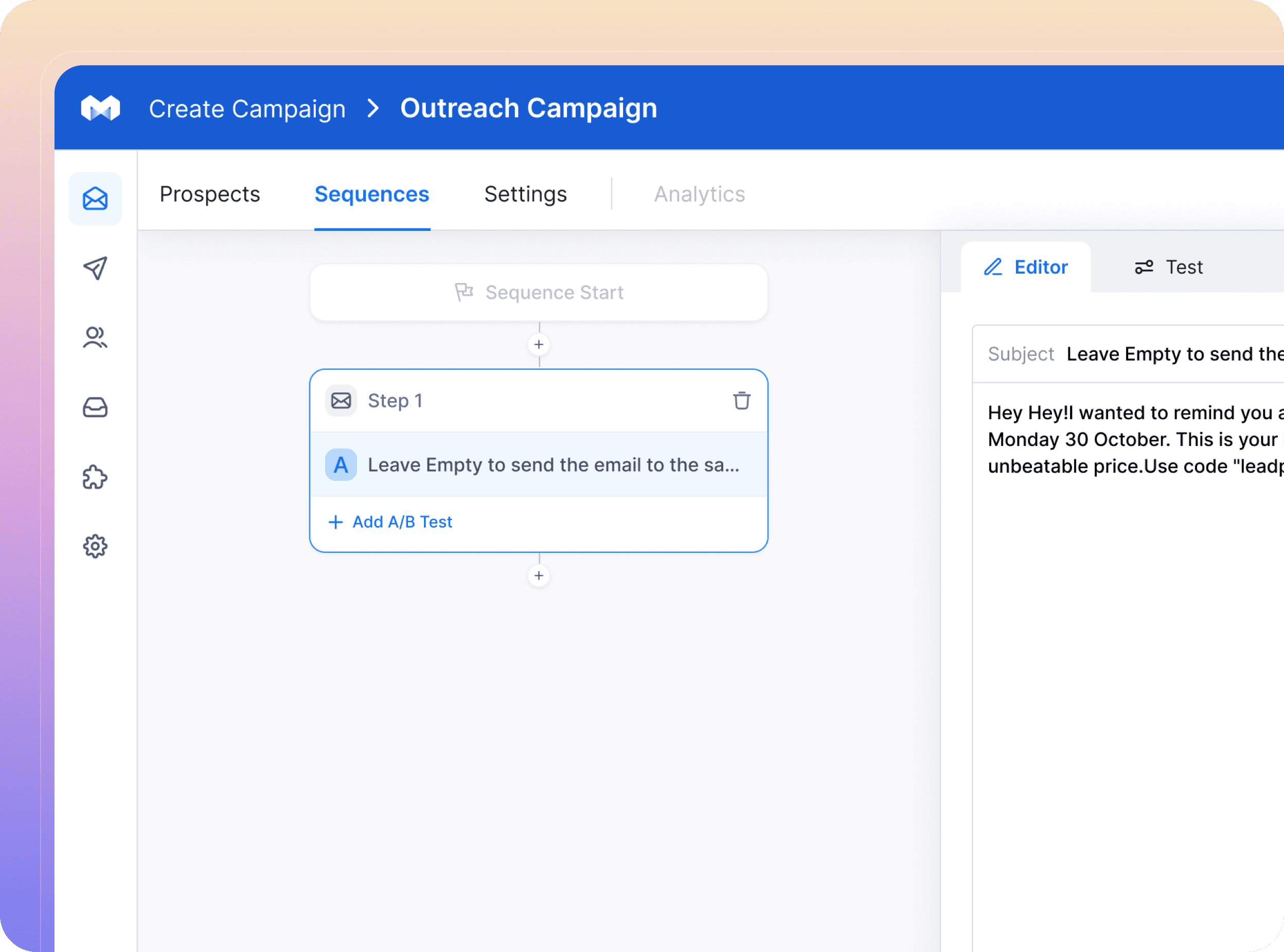
Manyreach is a cold email outreach platform that lets you connect unlimited mailboxes to send cold emails to unlimited contacts & add unlimited team members under unlimited workspaces.
Assumption 1
To narrow down the scope and present optimal solution for a specific audience in given time constraints I am considering the users of the app as students studying in school (class 6 to 12) as these are the people who mostly have personal tutor to help them in their studies.
Assumption 2
These student are based out of urban cities and metropolitan areas who are used to using tech products for study purposes
Who are the user’s ?
Manyreach fits right for founders, Lead Gen Agency Owners, Sales Teams
Agencies who require large number of outreach to sell their product or services.

“I'm drowning in repetitive tasks! Manually crafting personalized cold emails and scheduling follow-ups is a time killer."
Jamie
Sales Professional

"Manually tailoring content, scheduling emails, and generating reports takes forever. I need to free myself up for strategic planning."
Sam
Lead Gen Agency Owner

“Our clients expect targeted cold email campaigns that drive results. Manually analyzing data to optimize outreach is tedious and time-consuming.”
Sushrut
Founder
CLEARING CHAOS, DIGGING DEEP
Here’s the insights we have
After interaction with a closed community with 500+ active members online. We got some insights about users.

User’s want to save manual effort on performing outreach tasks as much as possible.
Insight
They want to achieve maximum productivity in least amount of time.
Insight
User’s are data driven and focus on leads to conversions ratio.
Insight
ANALYSING CURRENT FLOW
Existing flow
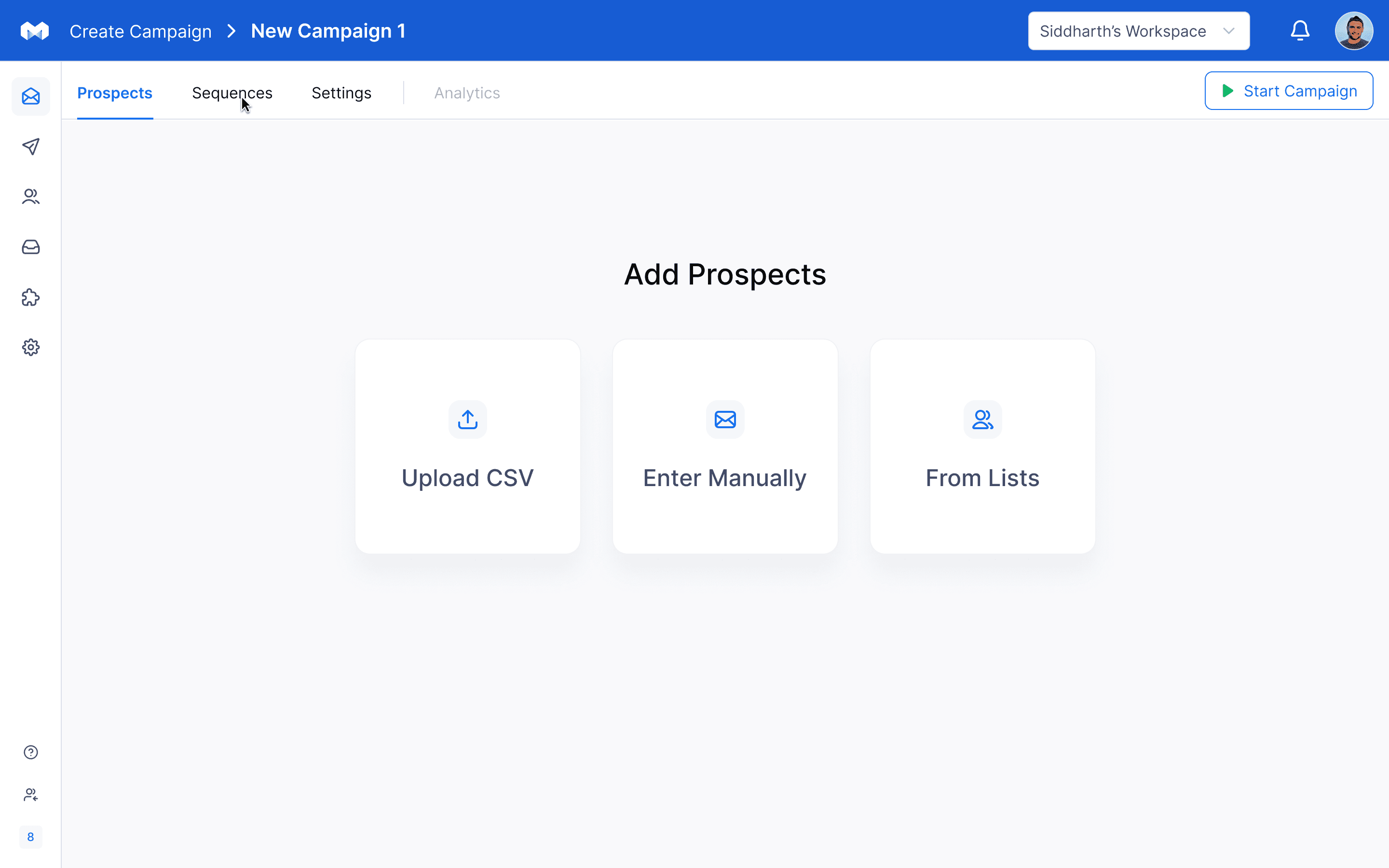
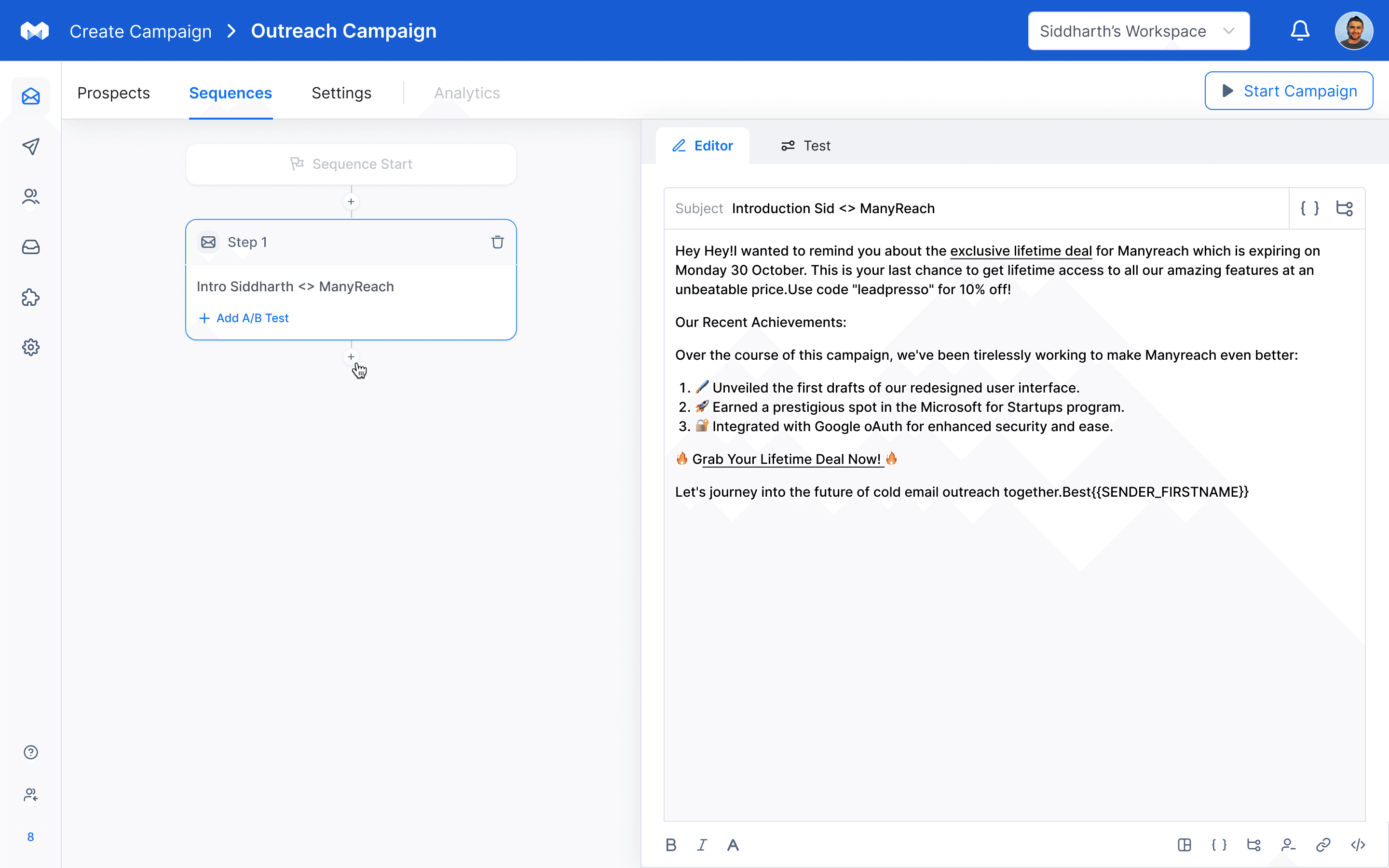
Now, we picked up the core flow of our product and started identifying opportunities in the exiting flow.

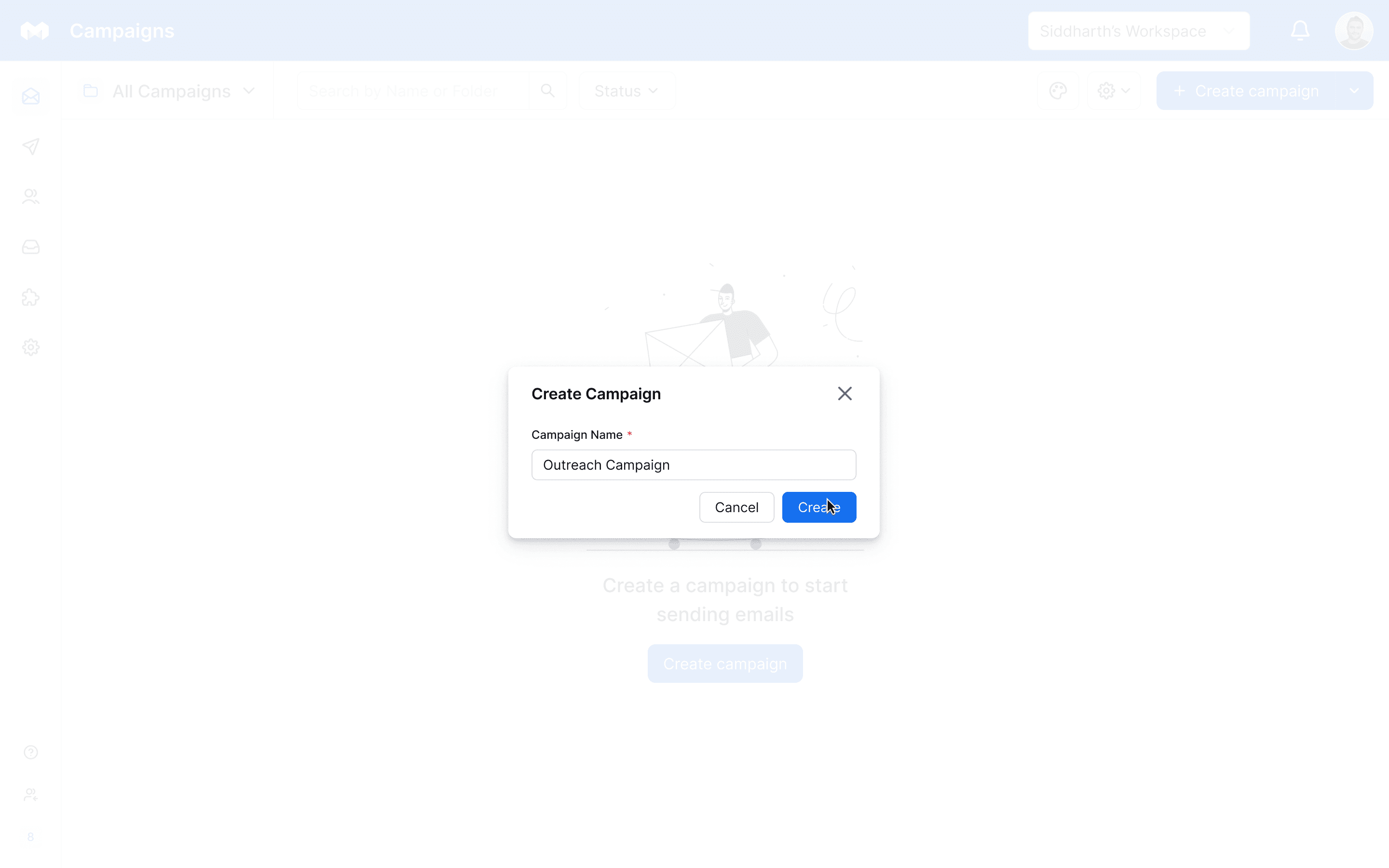
Create campaign
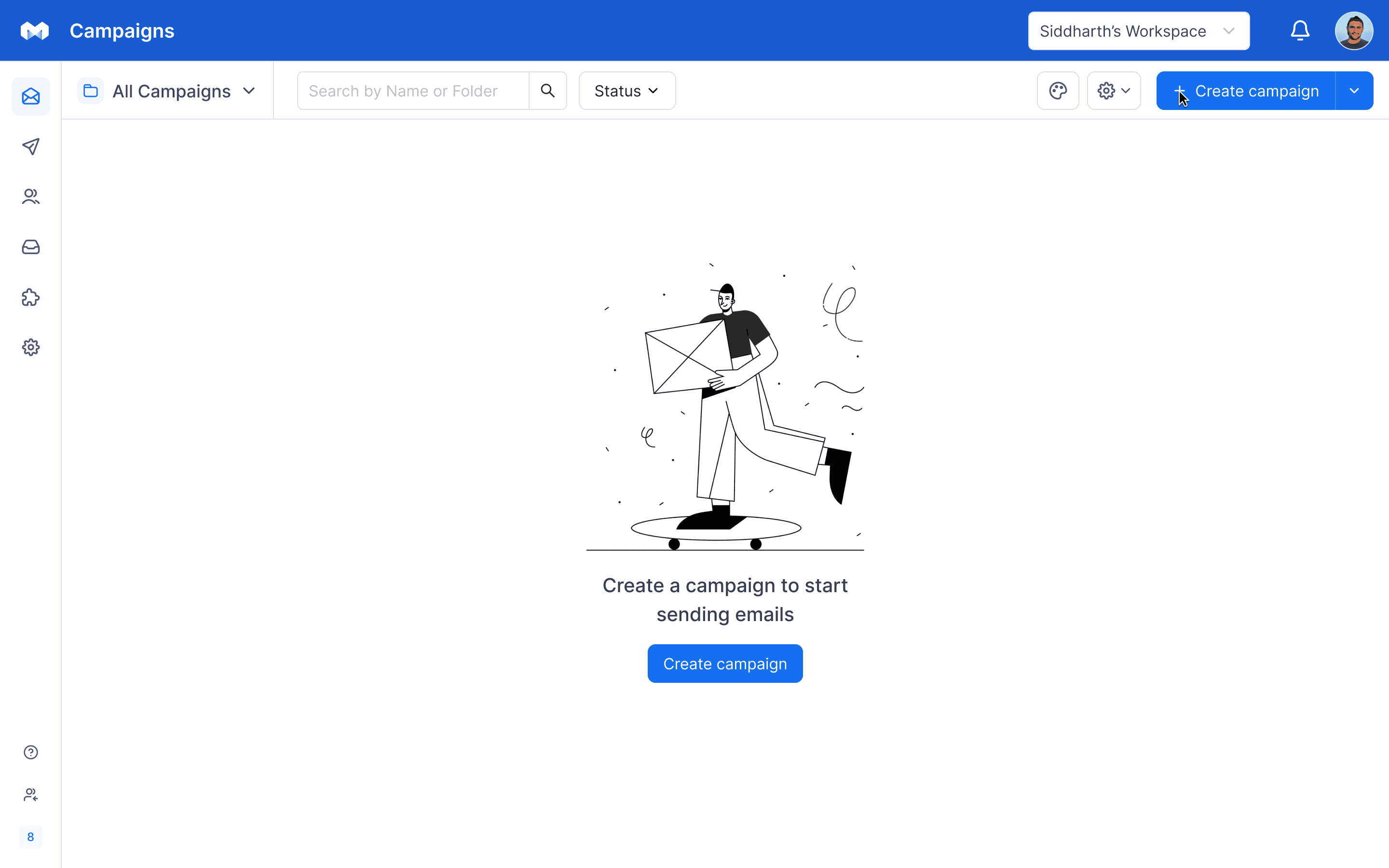
Enter campaign name

Add prospects
Write emails
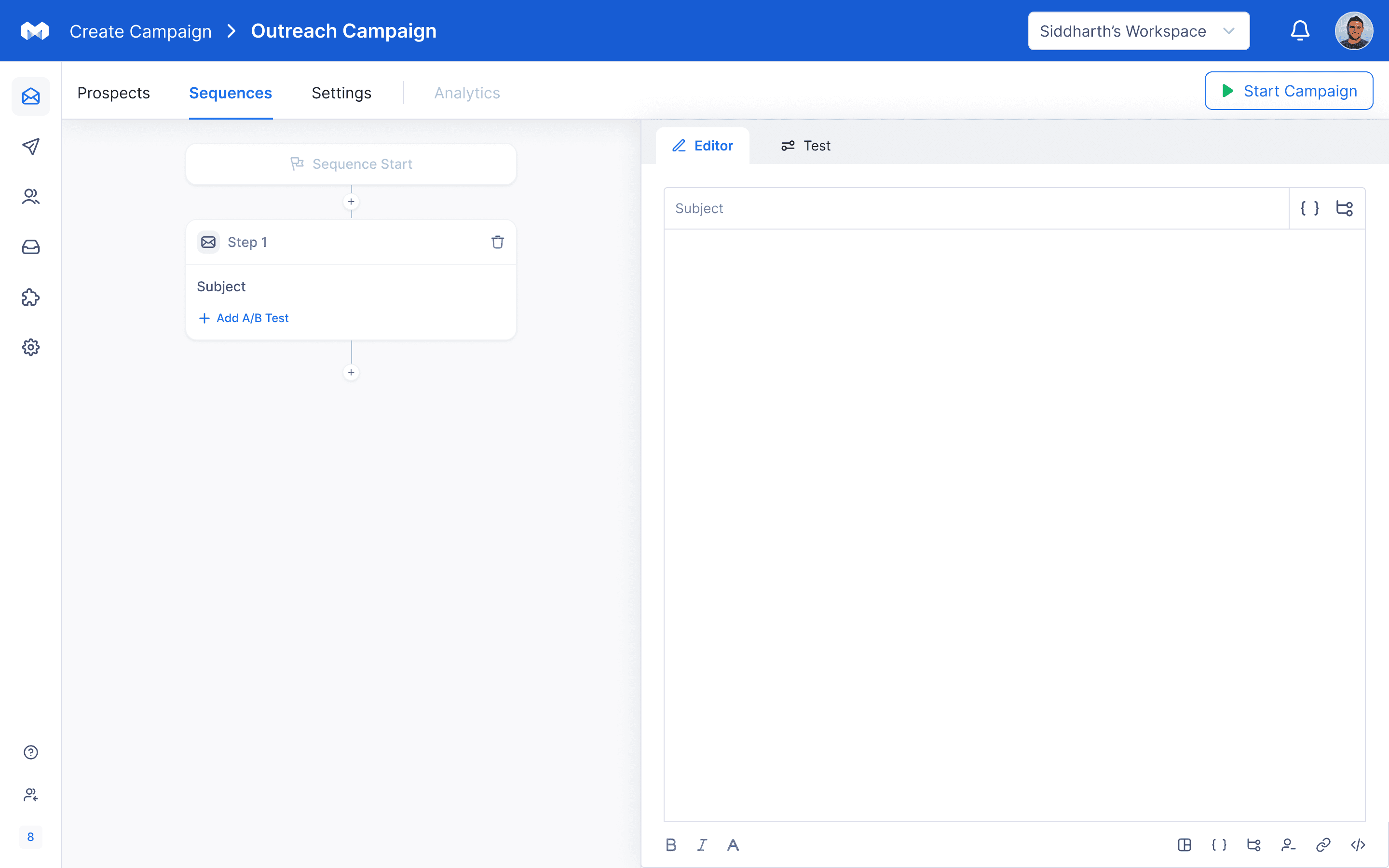
Identified area of improvement

Add sequences

Start campaign
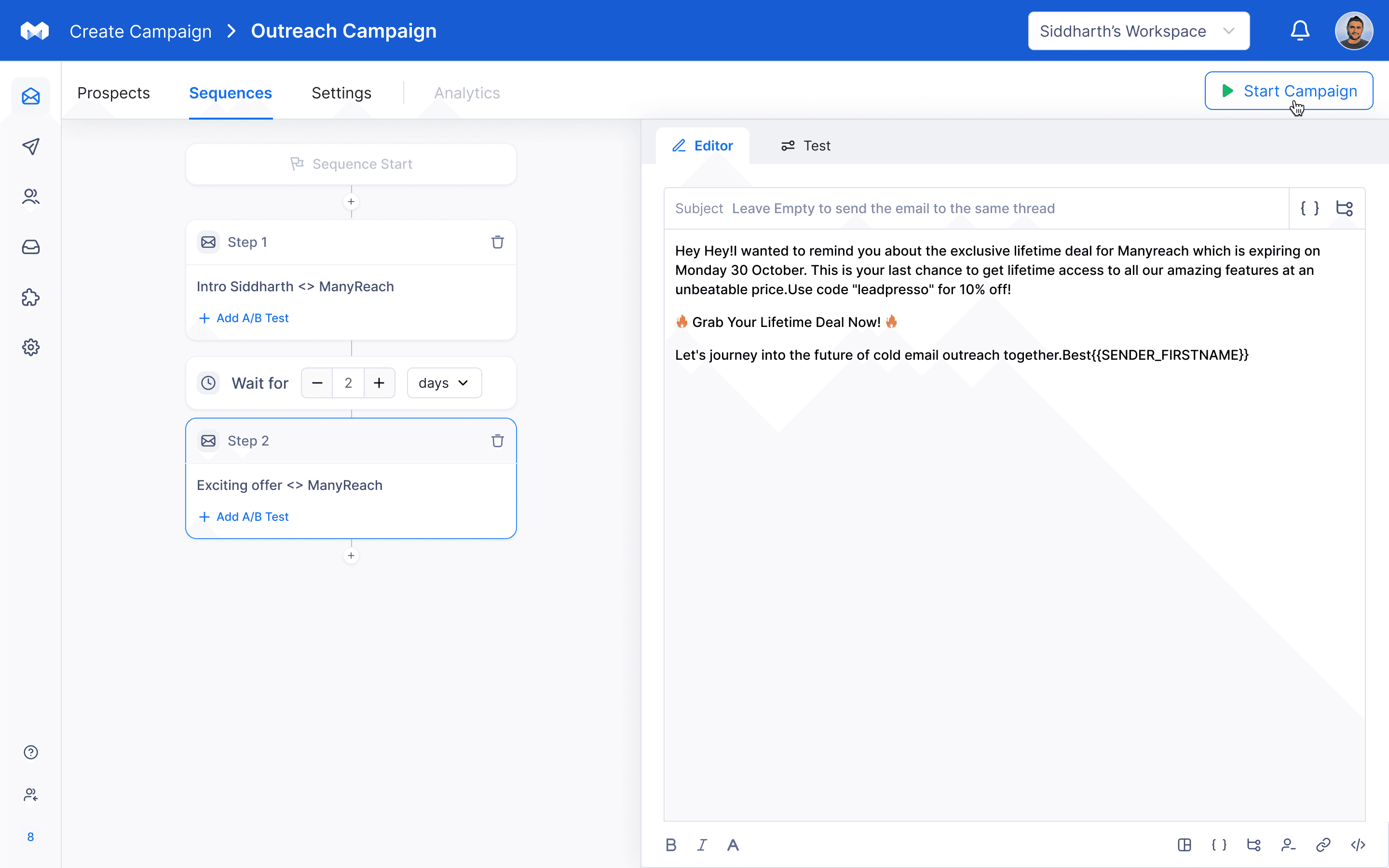
After analysing the entire flow we identified an opportunity where we can improve email writing experience of our users.
BENCHMARK RESEARCH
What our competitors are doing ?
Along with analysing core user flow, We also kicked off with doing benchmark research with an aim to identify how our competitors are using AI in their product.
Conducting competitive analysis created a better understanding of where our product stands in the market.
Features
Generate email
Personalise email
Change tone
Improve writing
Here’s the summary of what our competitors are doing
Providing users with AI generated email feature for faster and better email writing.
“Change tone“ to help users set better context in their email writing style.
“Improve writing“ to assist users in customising emails according to their needs and preferences.
DEFINING THE PROBLEM
Now the question before us is
How can we enhance email writing experience of our users?
We started to pen down ideas to come up with solution to this question
AI email generation
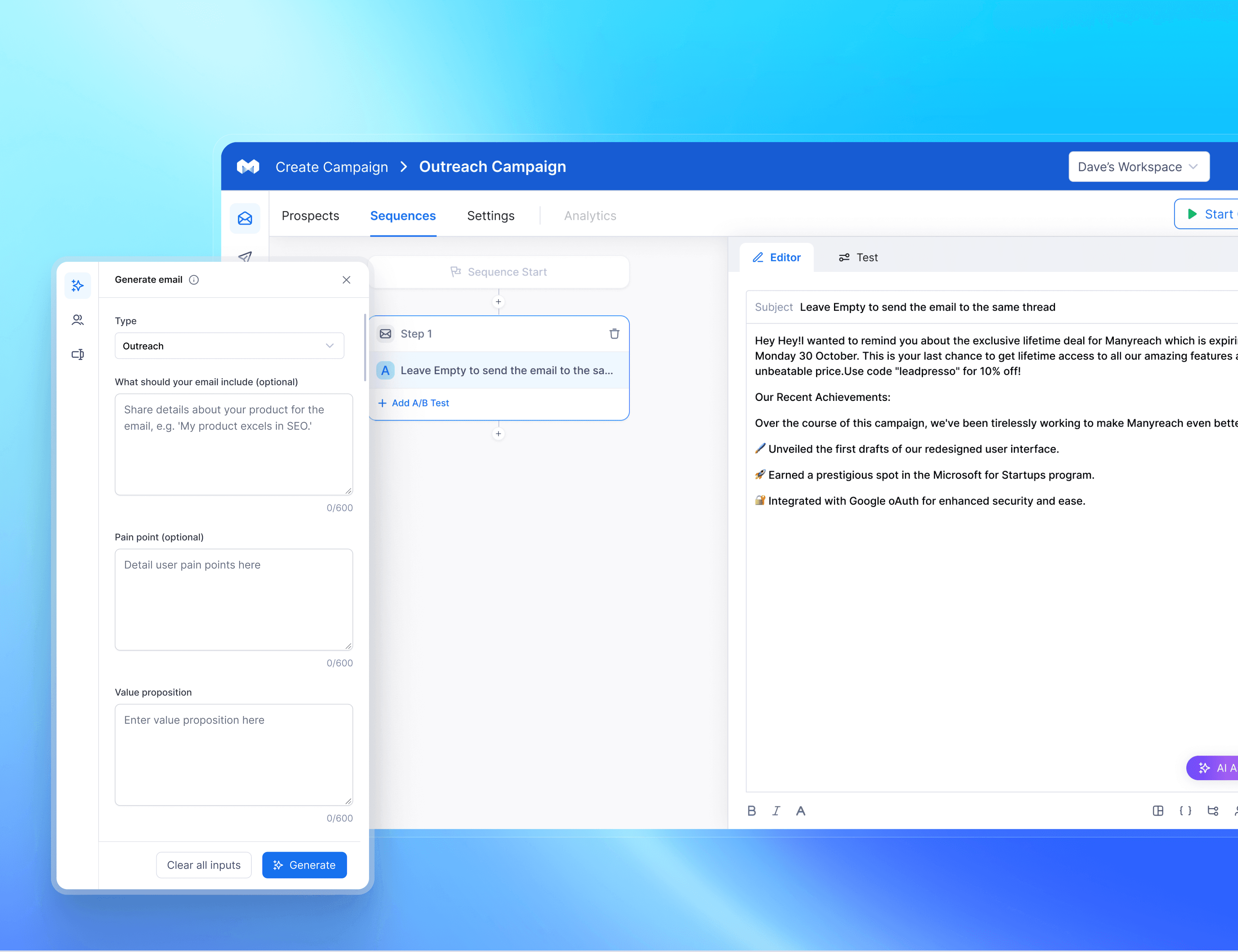
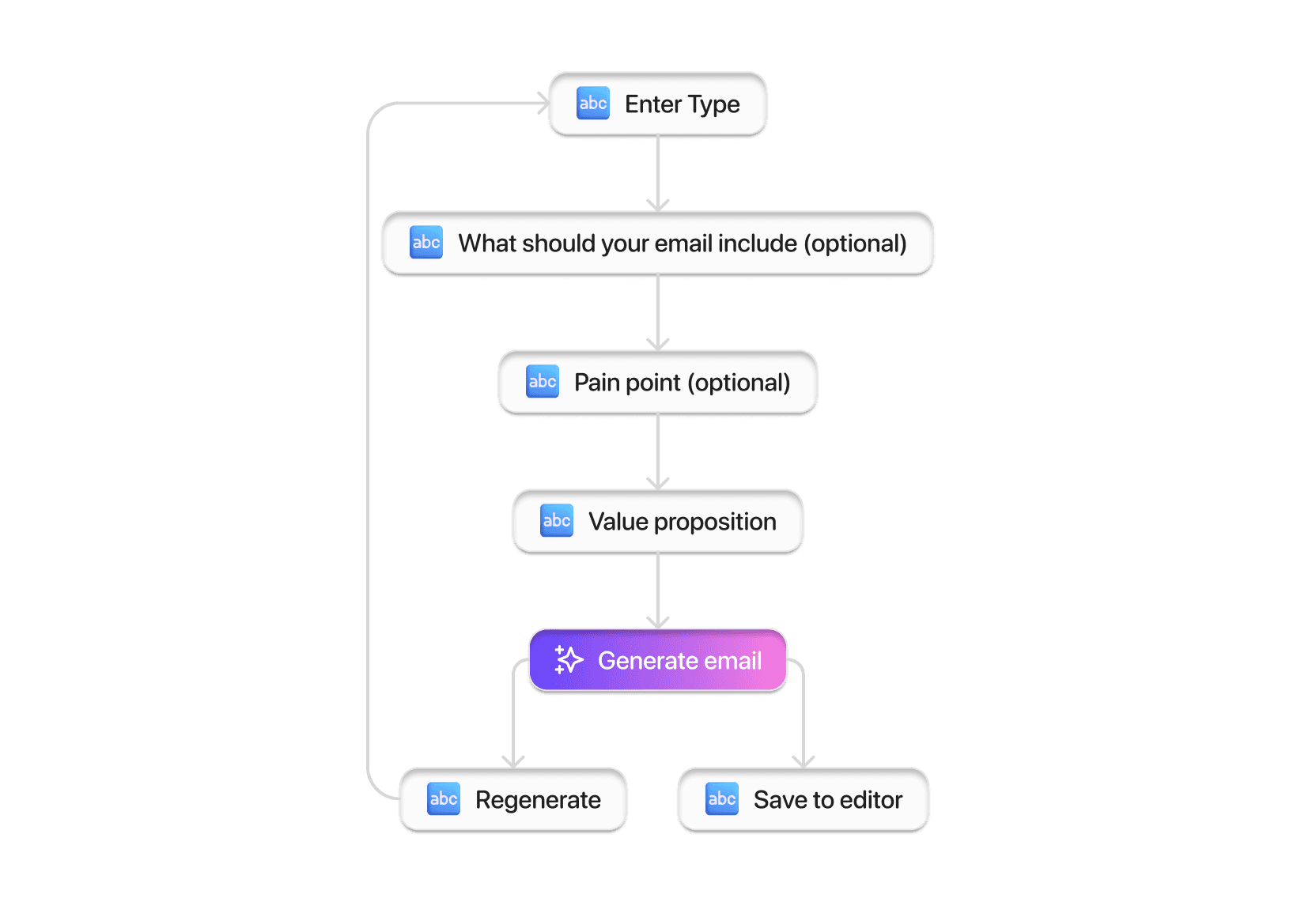
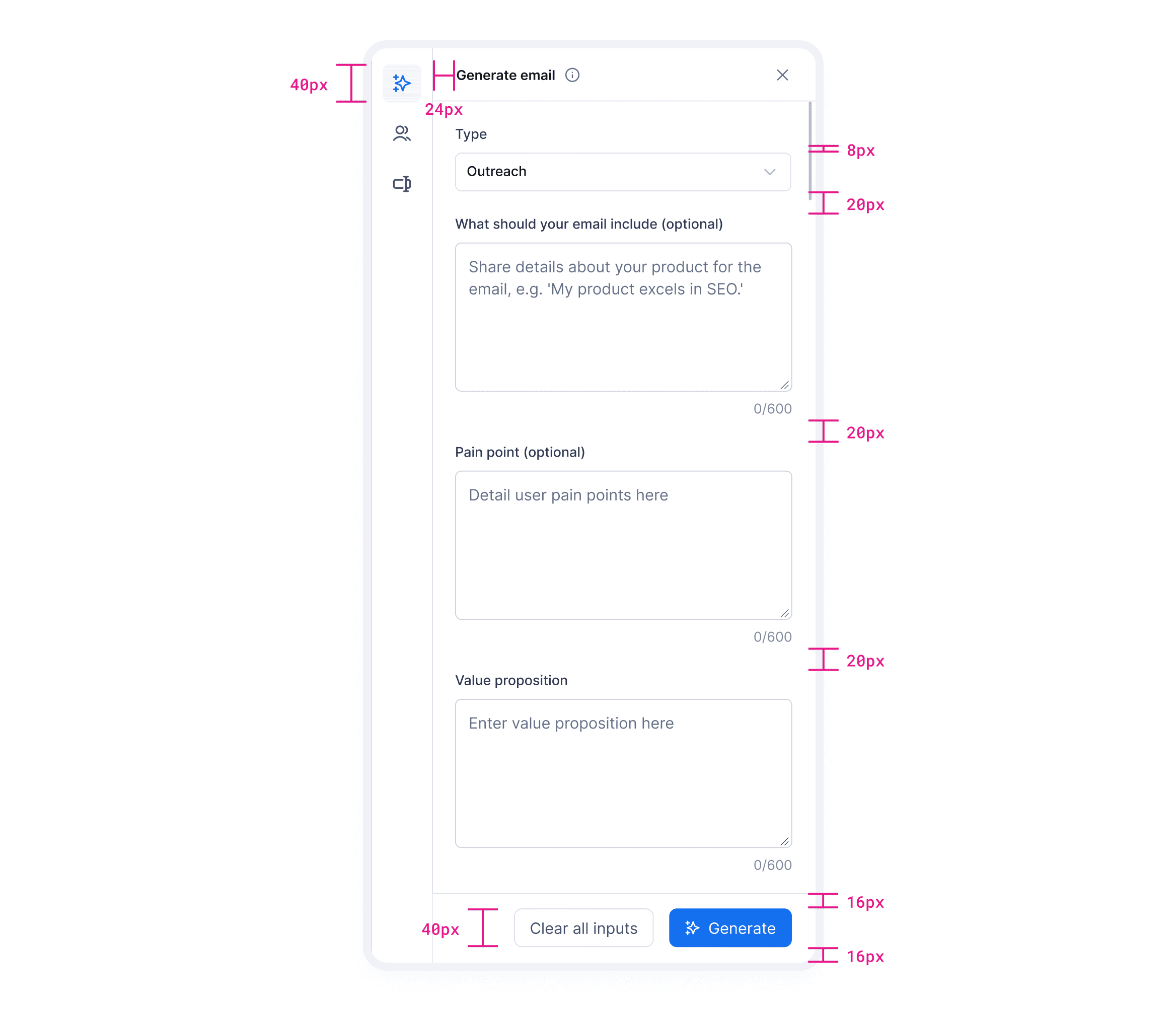
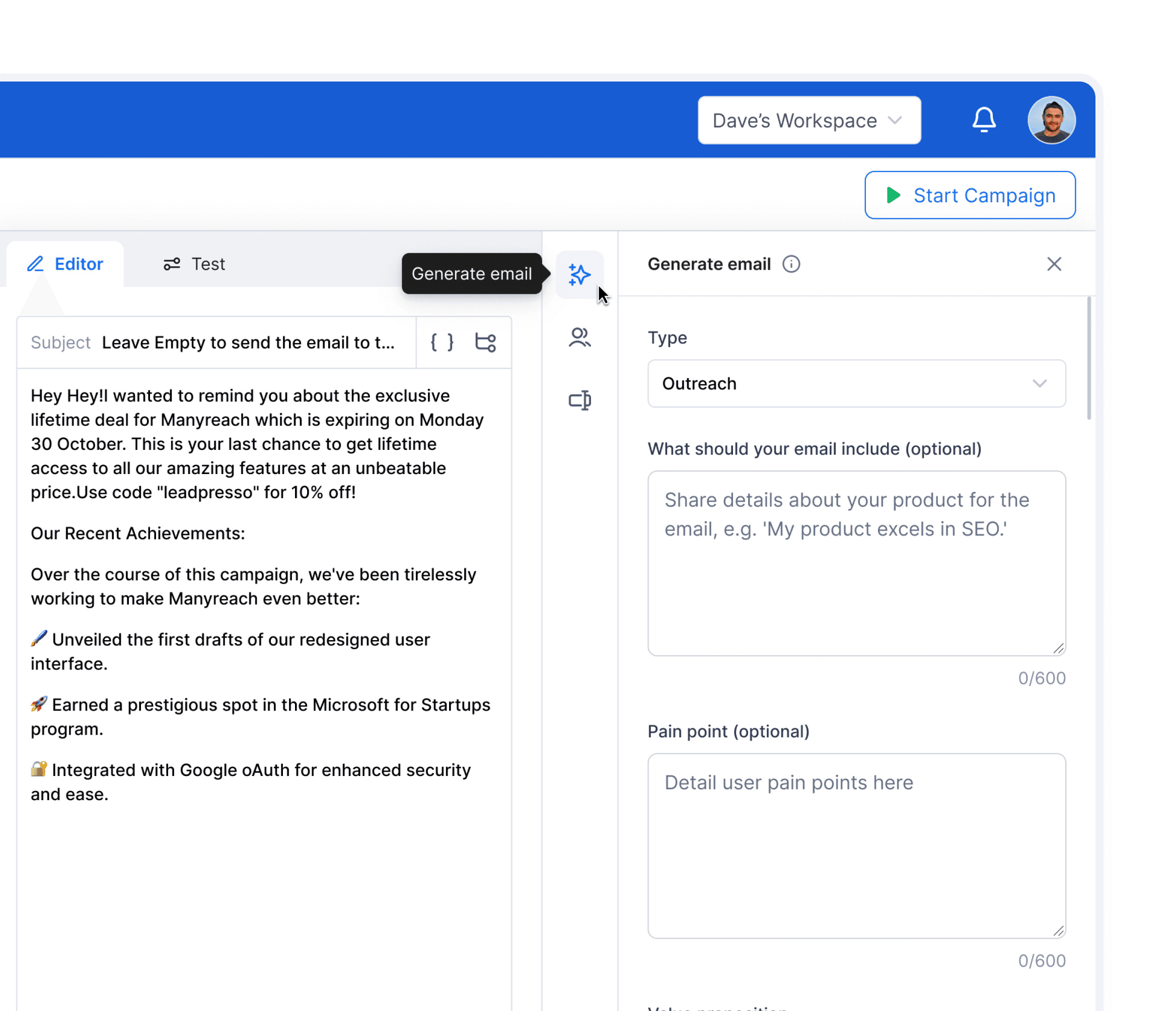
To provide a more contextualised and specific input method we provided users with input fields like Type, What should your email include, Pain point, Value proposition for ai email generation
This is because the more specific and targeted prompt you feed to AI, the better the result will be.
Personalise email
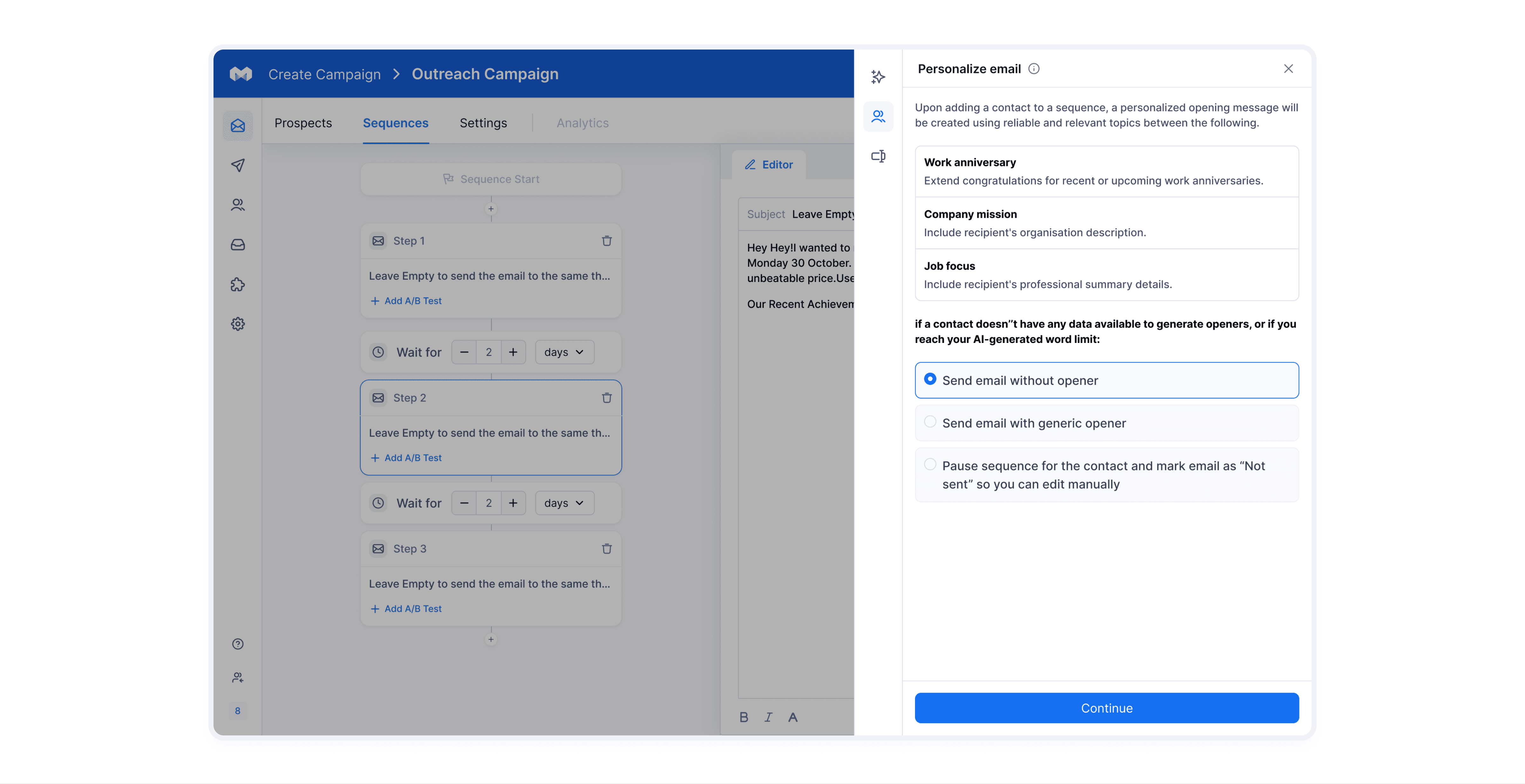
This allows to not only personalise the email with the name of the recipient but also send personalised email openers using data of the recipient such as work anniversary or any other information shared with us.
Rephrase email
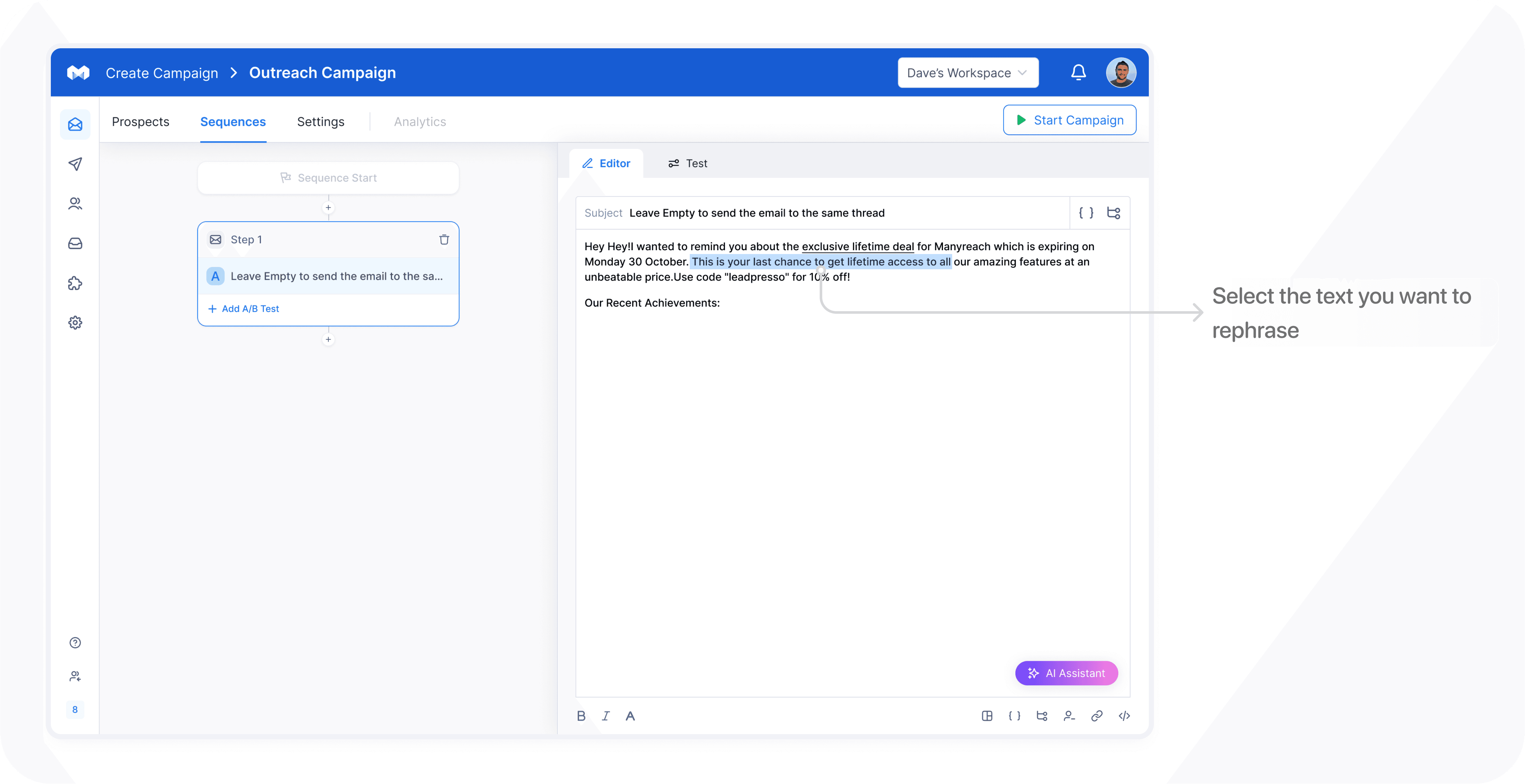
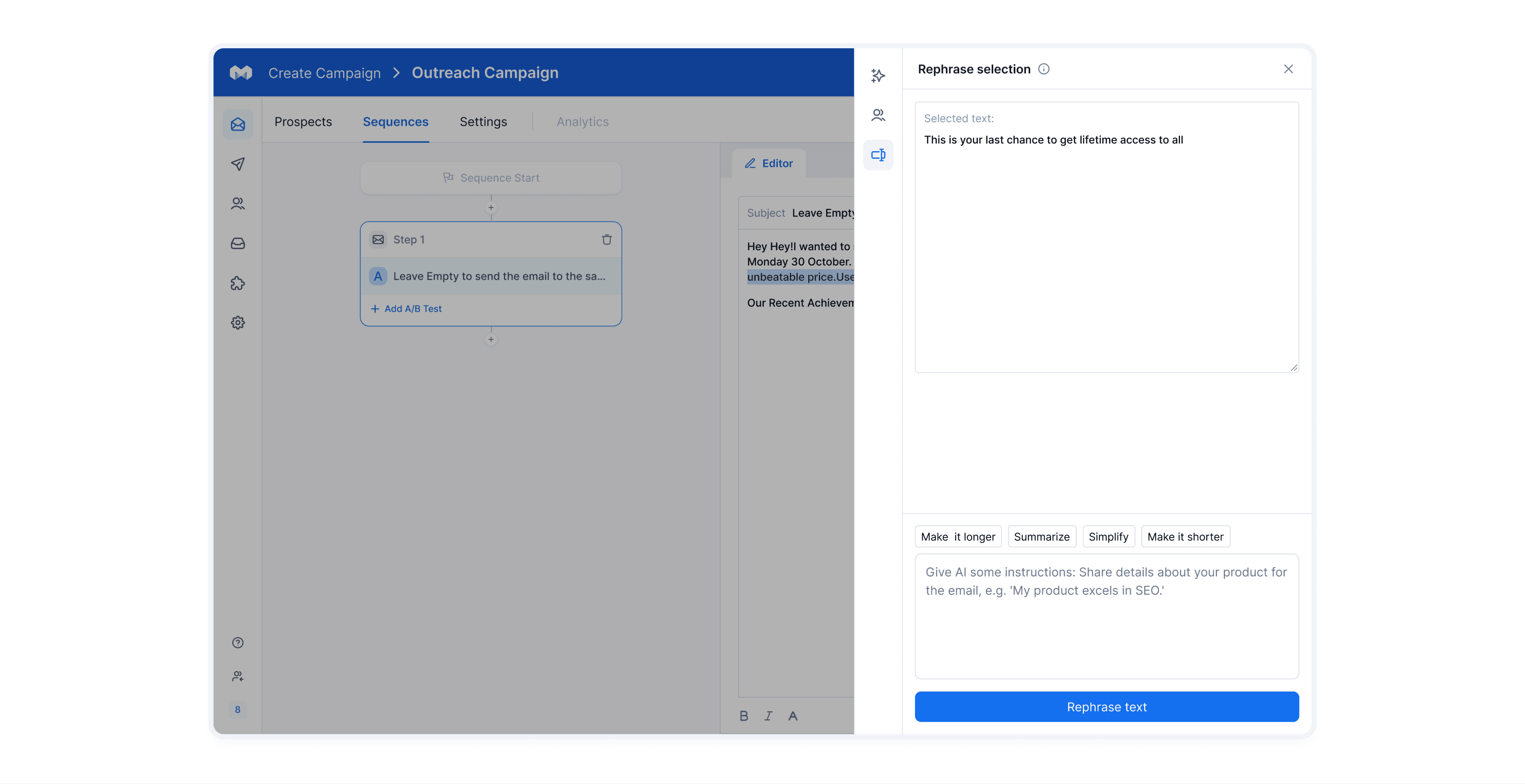
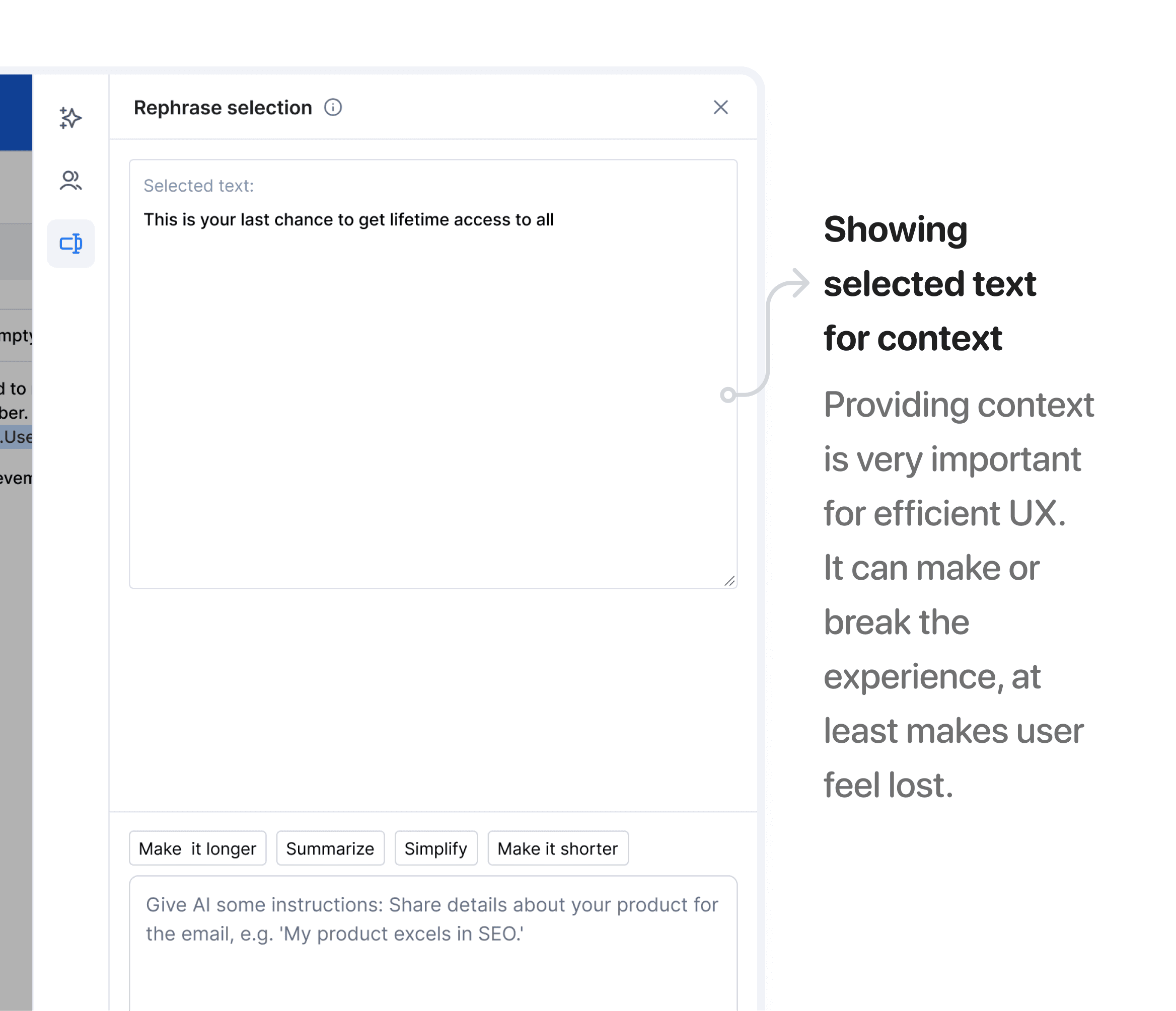
Users can select a particular sentence or word in an email and rephrase it according to their context
It enables users to edit their emails in the most powerful and easy way.
A user can give custom prompt to rephrase or choose to select predefined prompts.
Language translation
Our users send emails to contacts across the globe with varying nationality and languages.
Proving users with an language translation option enables them to send emails in recipient native language.
We prioritised the features based on the high impact, implementation easiness, and relevancy to our platform.
Still with me? If you've taken in all the info up to this point, here's a virtual high-five ✋🏻 for your dedication! 🌟
SOLVING THE RIGHTLY DEFINED PROBLEM
Introducing AI generated emails
There are several iteration we did when working on AI email generation feature which I’ll be discussing further in the case study.
To begin with we started with this user flow for email generation
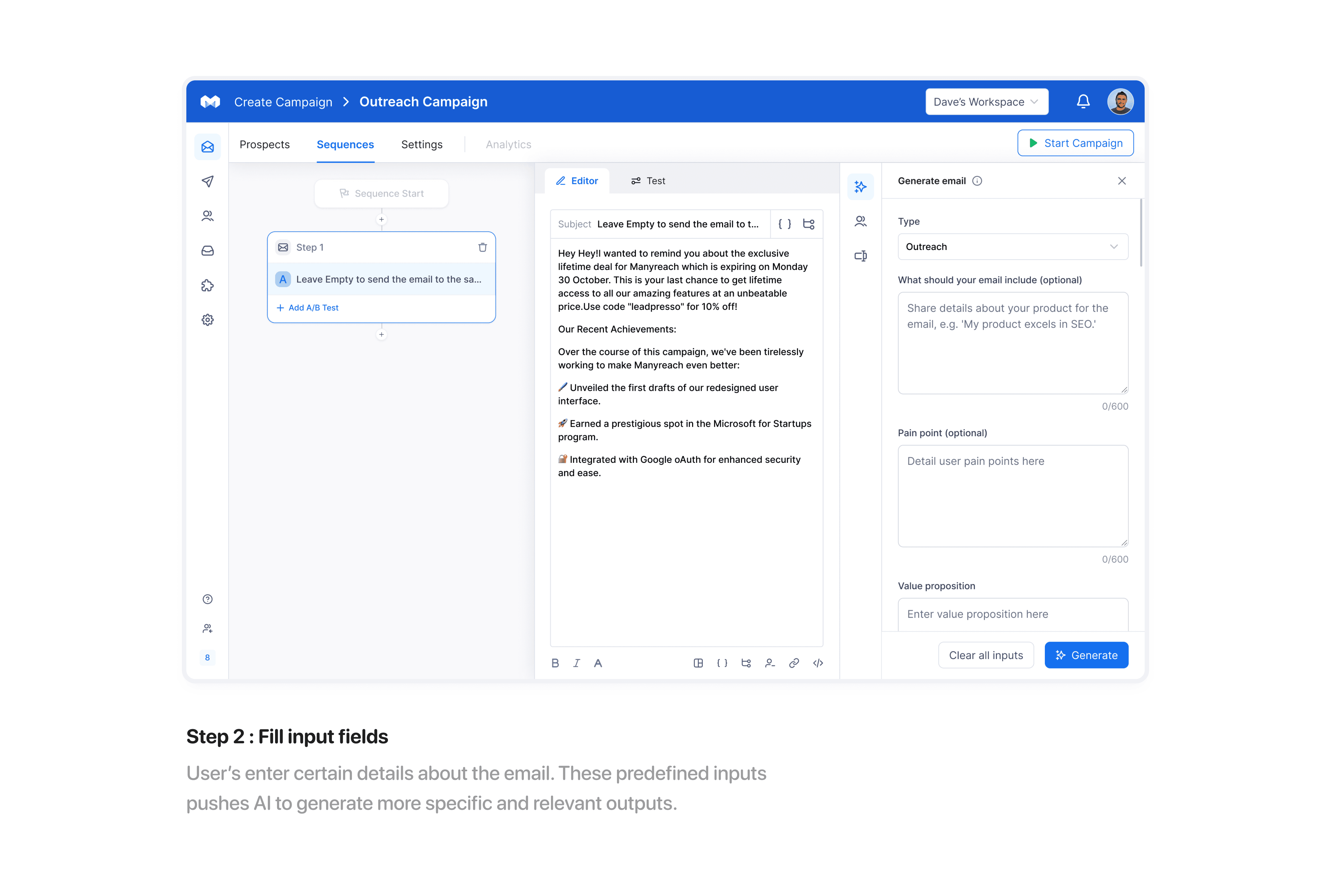
Split screen iteration
In this iteration sequences, editor and generate email are showed on a single screen together.
Pros
User can generate email and simultaneously make changes to the editor i.e. promotes multitasking.
Easier for user to navigate between interfaces
Cons
Three split screens is less space efficient, all the splits are fighting for space.
It increases cognitive load of the user and makes it confusing for them.
Sidebar iteration
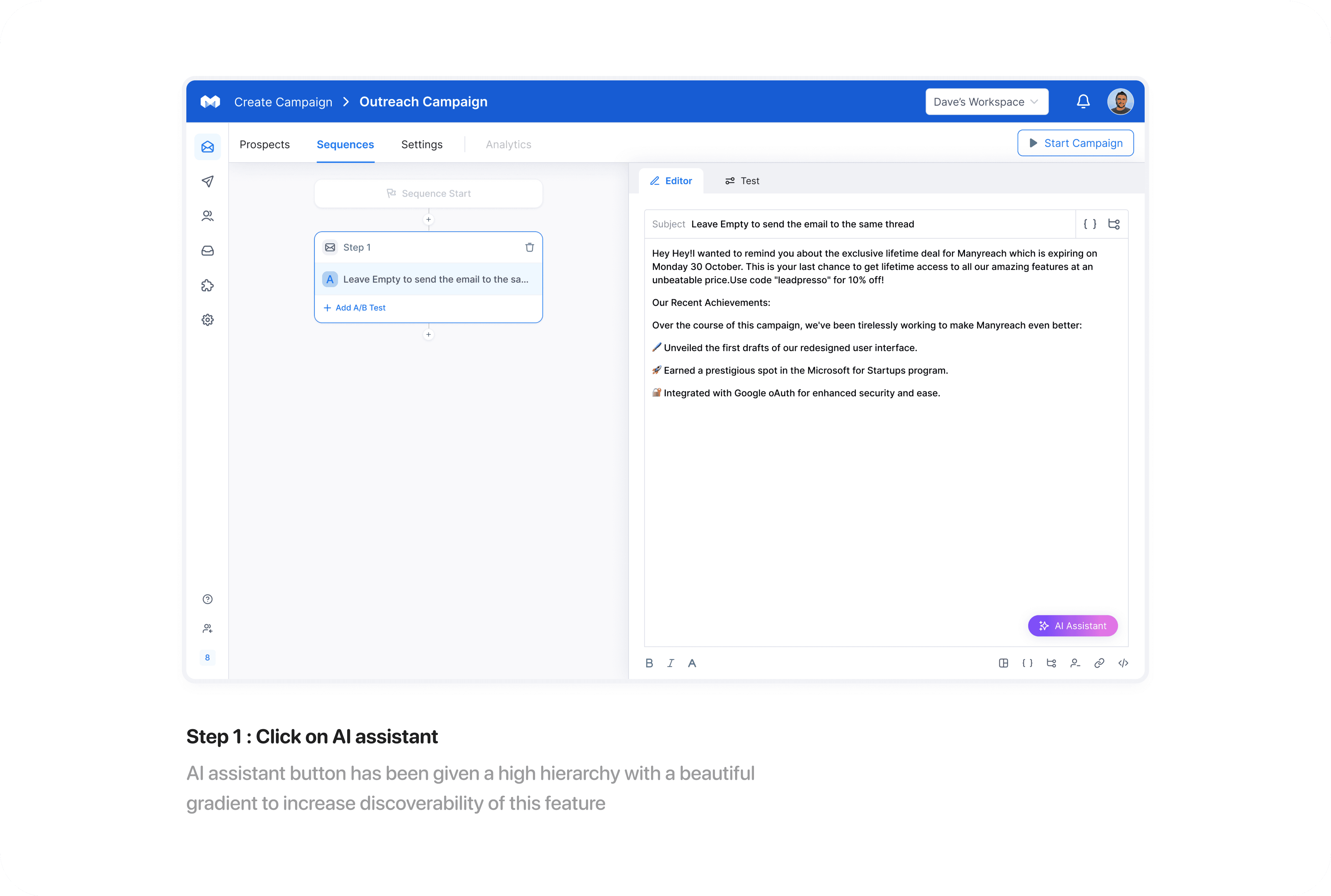
In this iteration, Generate email feature opens as a sidebar.
Pros
Sidebar is not confusing for users as compared to three split screens and puts less cognitive load.
Sidebar provides more attention to AI assistant.
Sidebar allows users to focus on one task i.e. ai email generation and provides more discoverability to feature too.
Cons
The main reference to the email i.e. the Editor space gets hidden behind the sidebar.
No context
Not as much as easier as "split screen iteration" in terms of navigation between interfaces.
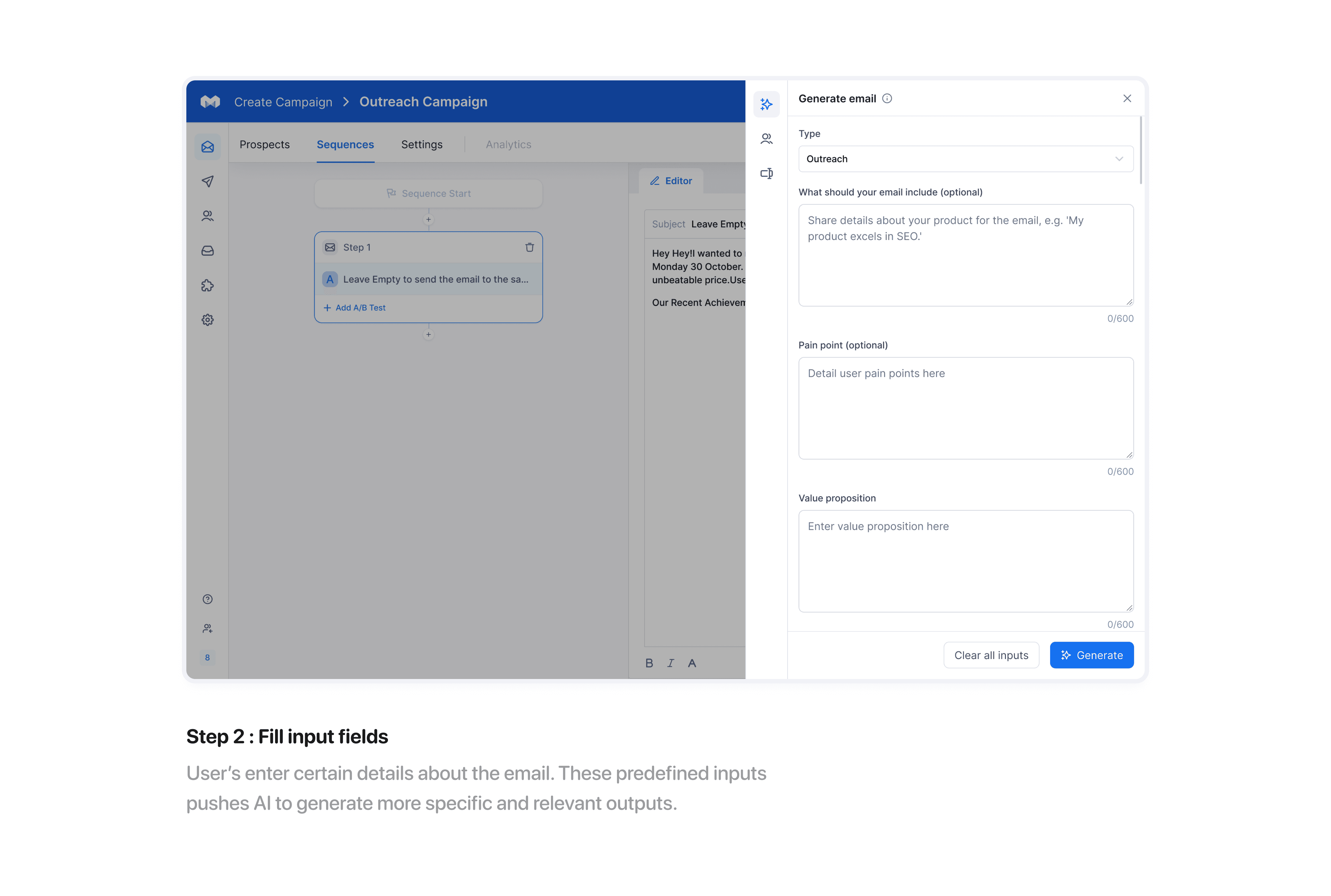
Since we were focussing on providing discoverability to this new feature here in our product. We decided to move forward with sidebar iteration as it provides more attention to the feature.
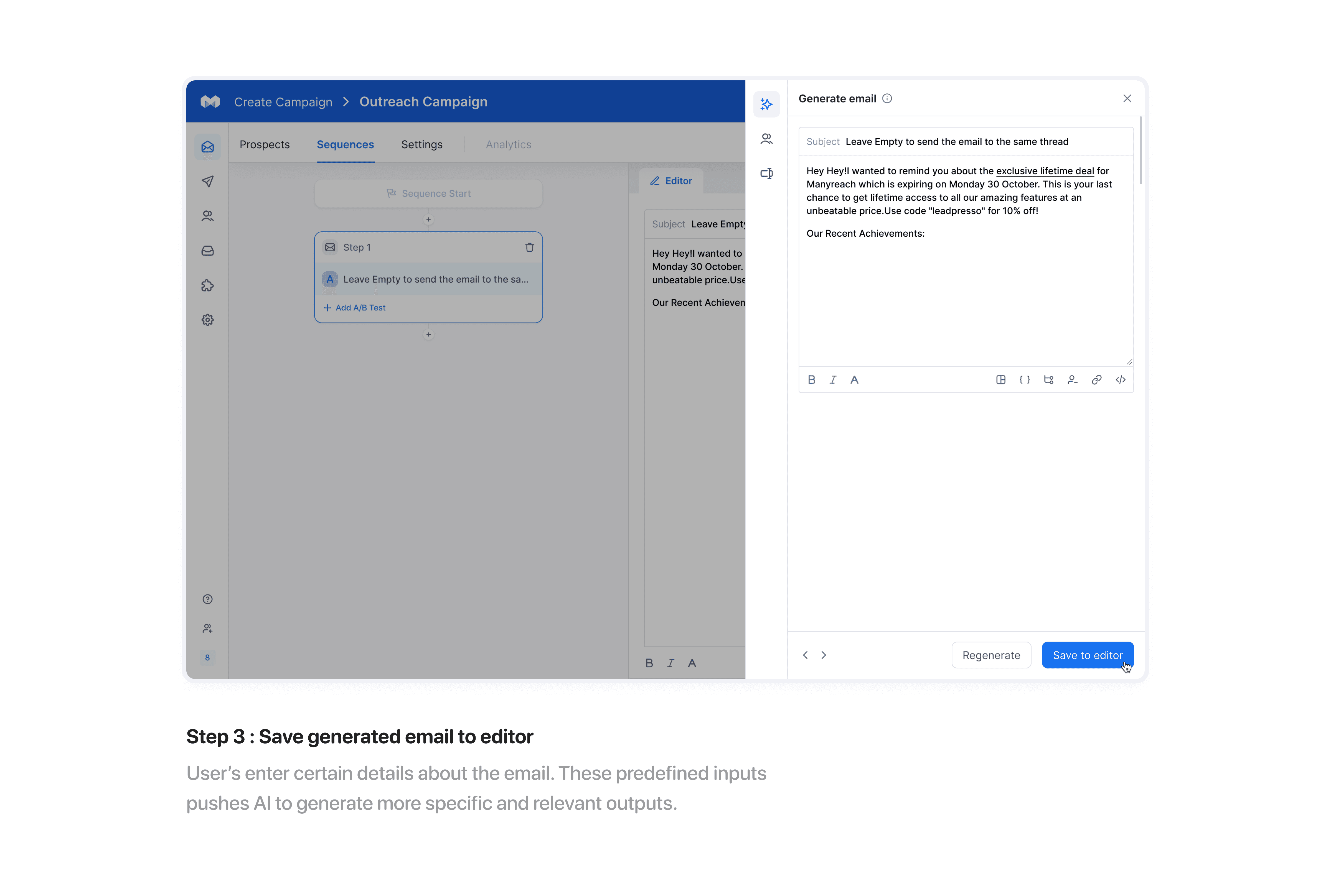
Save generated email to editor
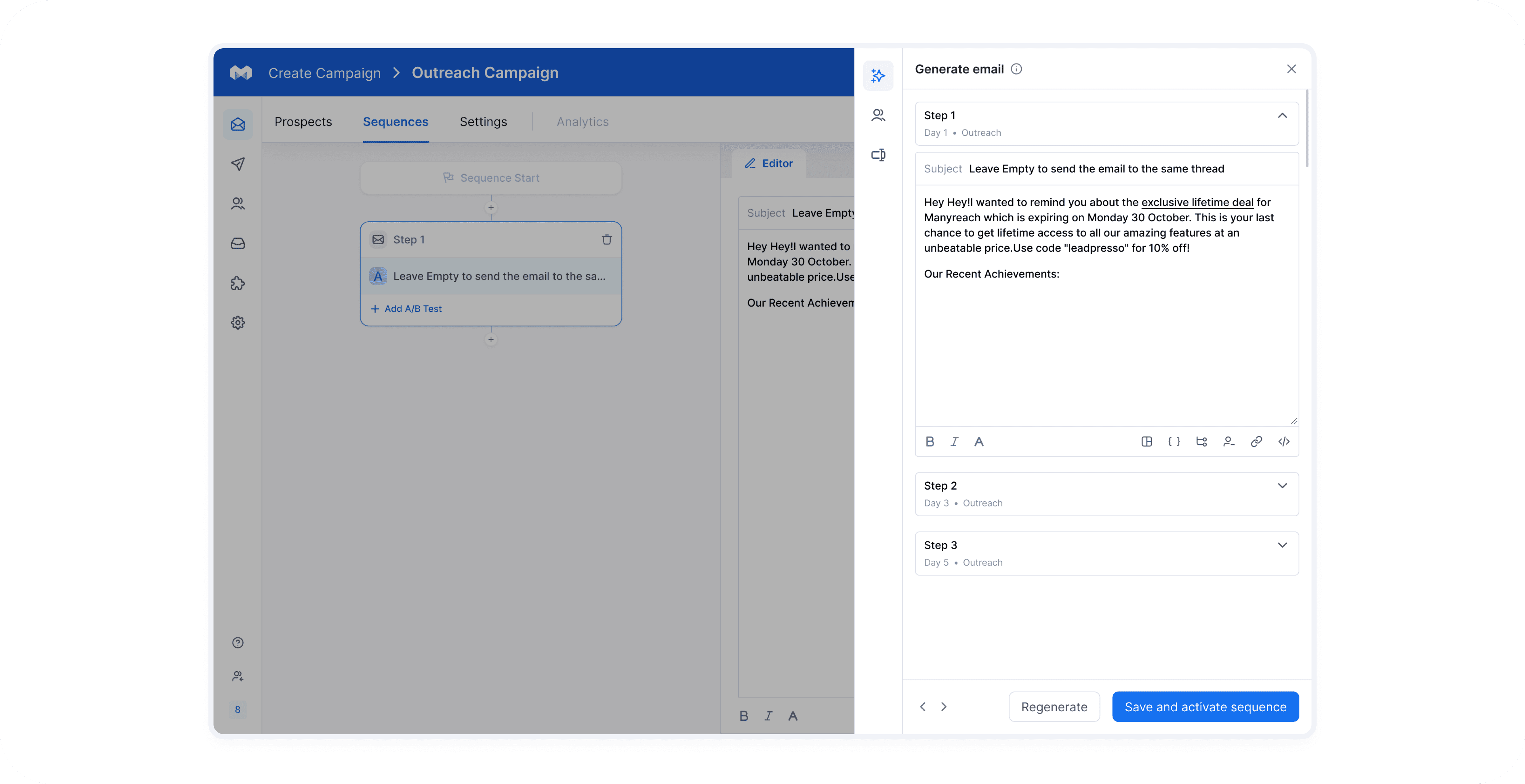
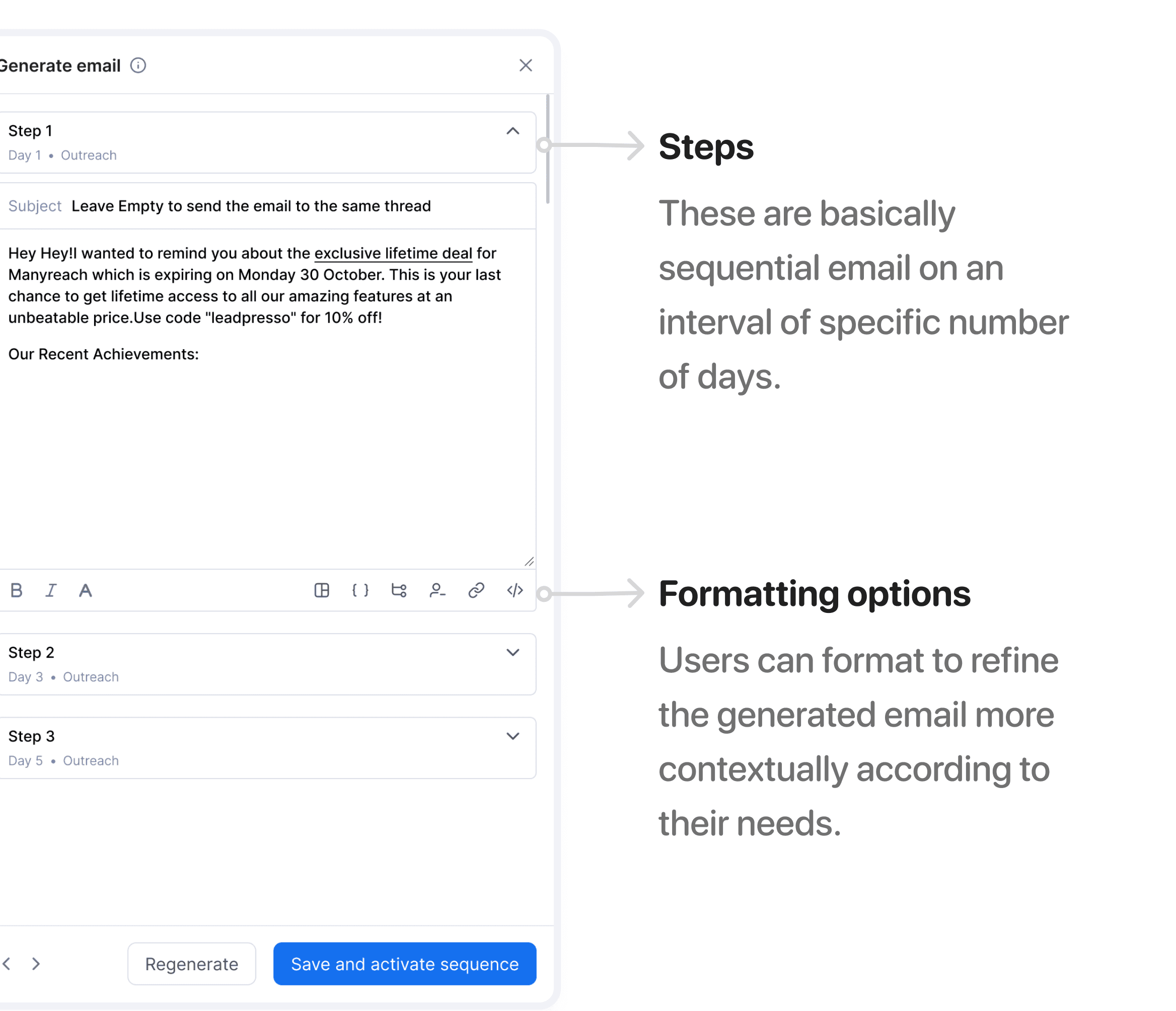
After the ai generates the email, the user can format the email and save it to the editor.
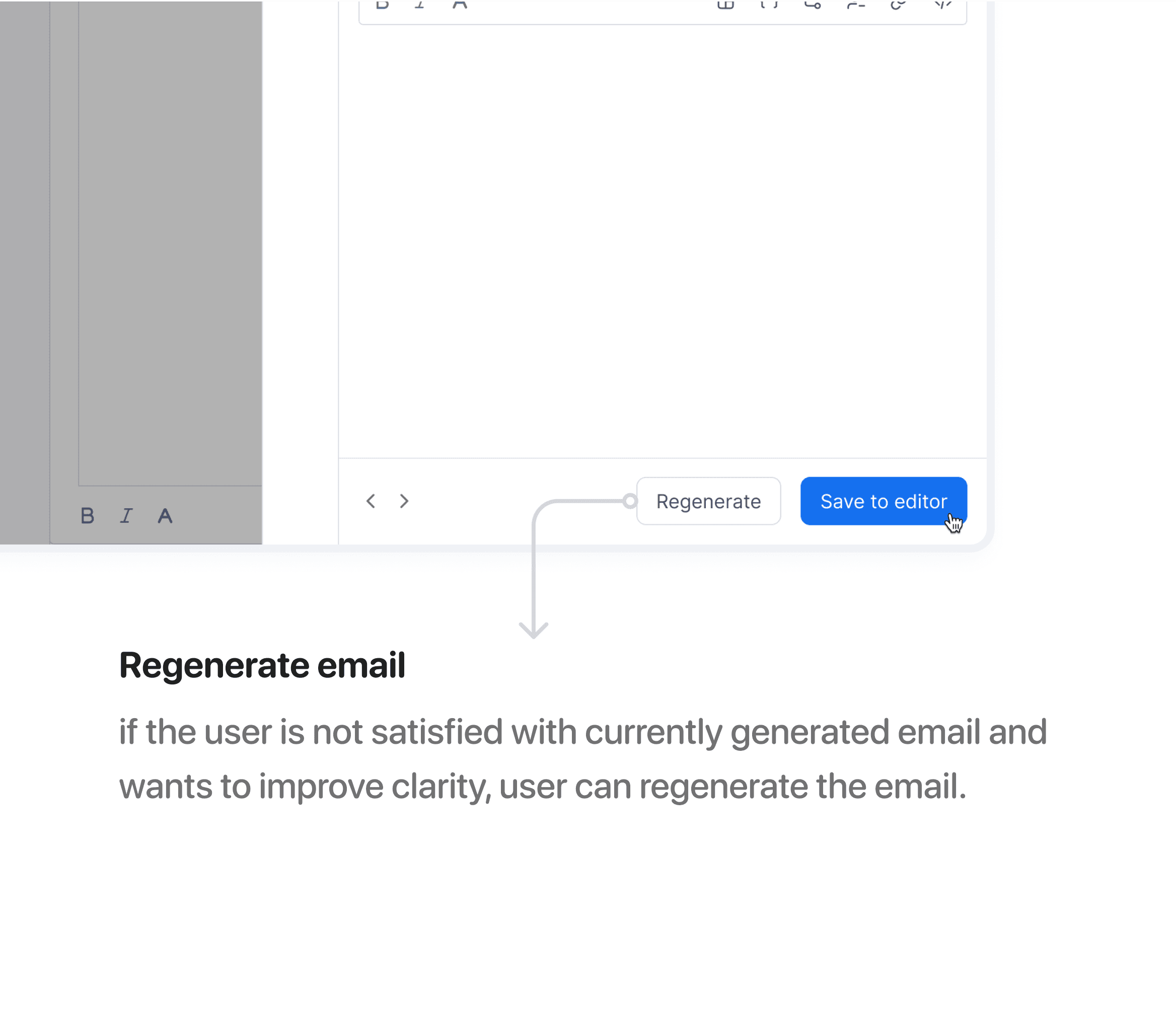
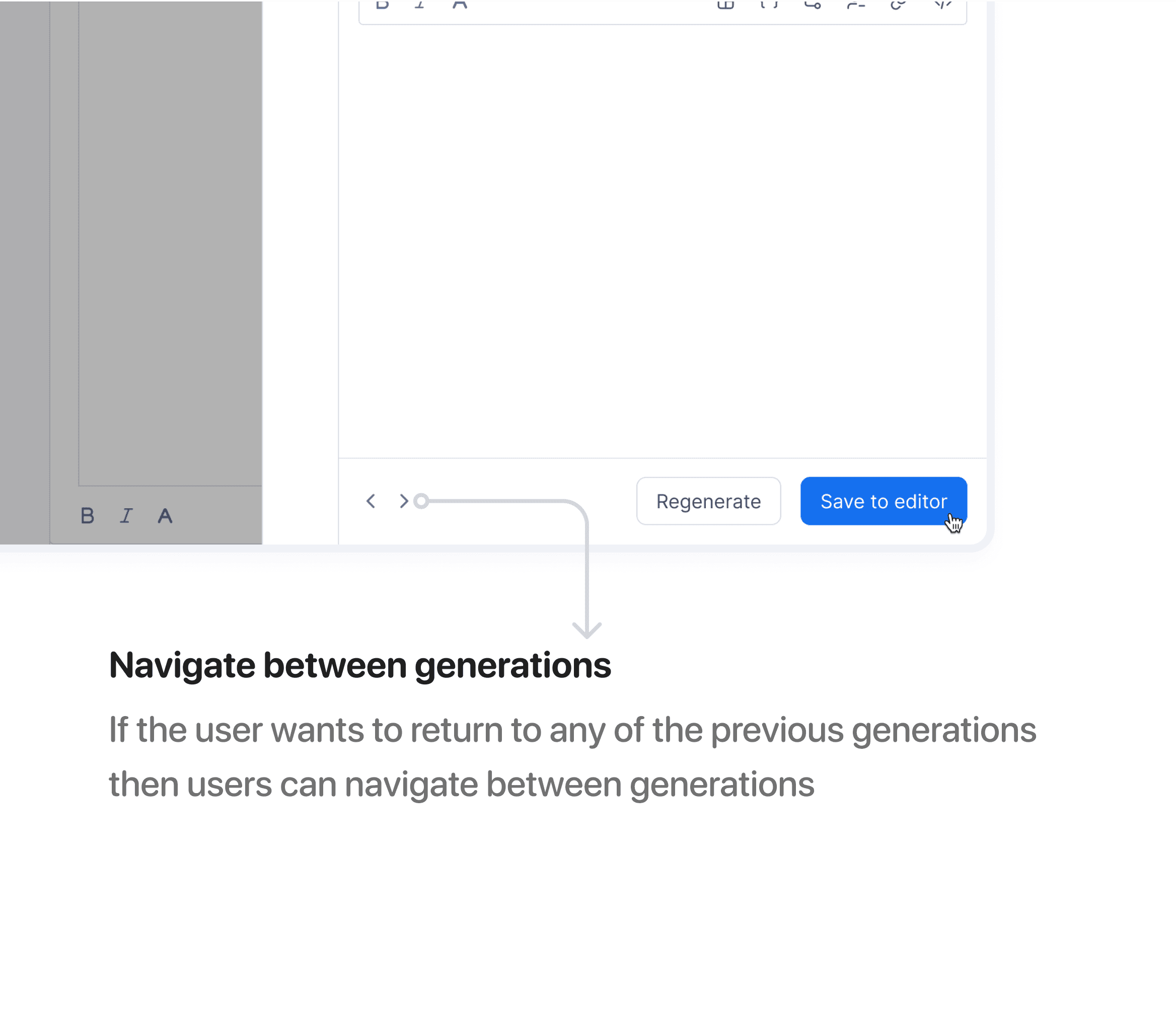
There are three key actions for users here:
Regenerate email
Navigate between previously generated emails
Format the generated email
But wait !
Can we create a better experience?
This question led me to think a step further of how we solved the problem currently.
Here’s how we modified the existing user flow :
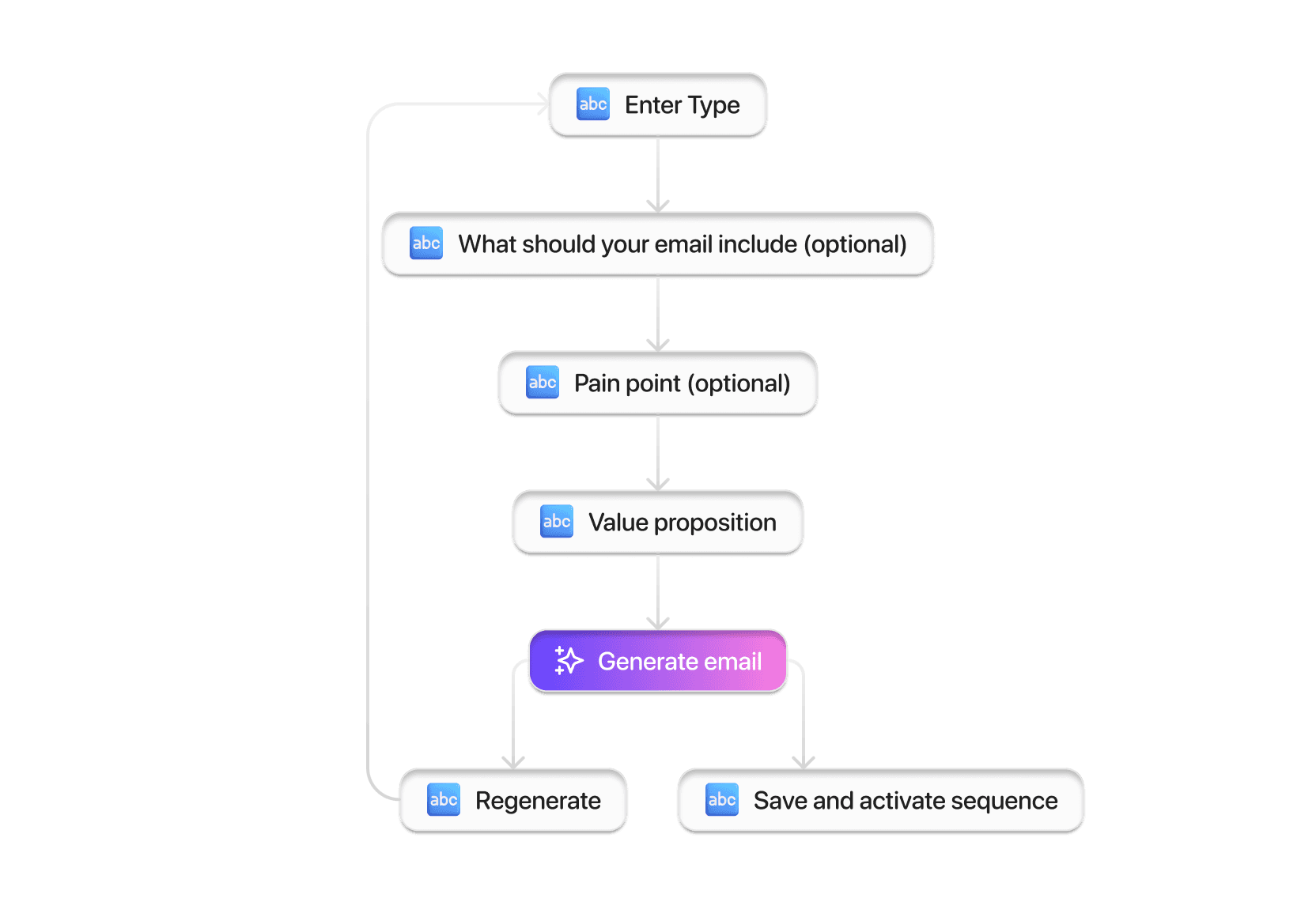
Currently our users have to firstly "add a sequence" manually everytime and then edit email inside it.
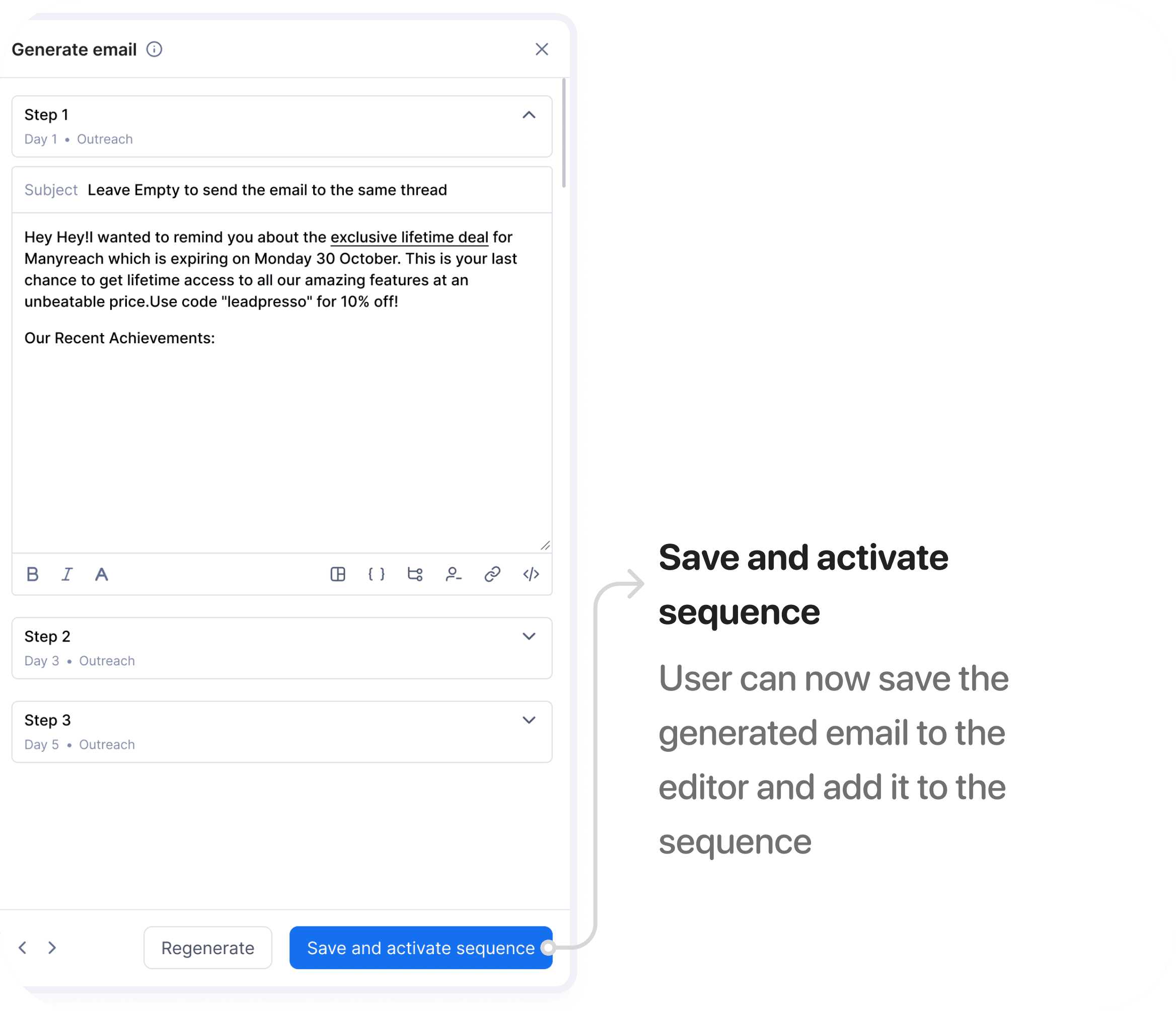
This process is time consuming and can be optimized to improve users productivity. This is the reason we came up with "Save and activate sequence"
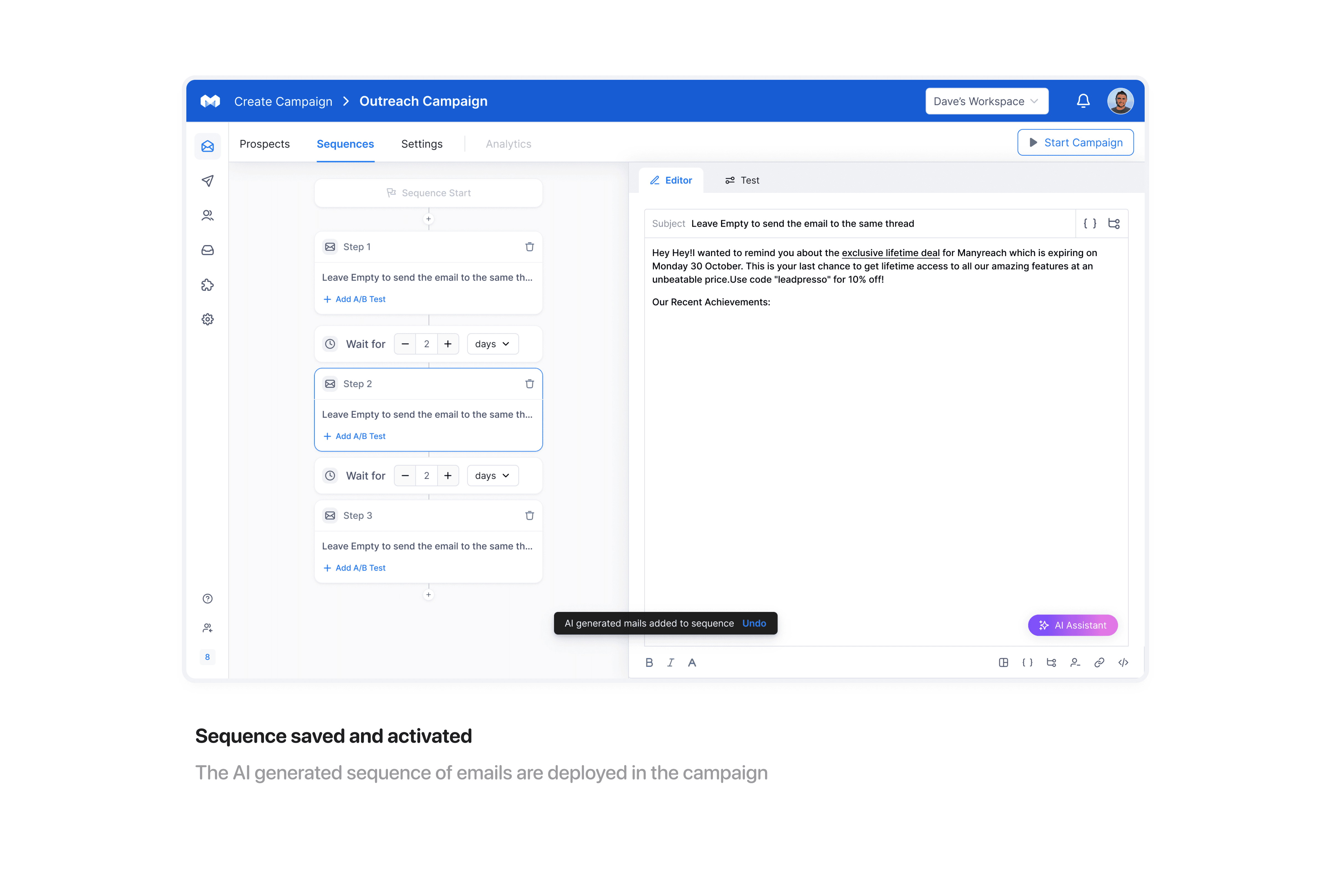
Instead of generating only single email, we now generate multiple emails in a sequence for the campaign.
“Save and activate sequence” optimises the email sequence creation process for users as it automatically generates email with steps i.e. follow up emails with specific number of days interval.
Rephrase email
The option to rephrase selected text in the editor serves several key use-cases for our users.
It helps in achieving improved clarity and understanding in terms of tone and style, better fit writing style for specific context or audience and several other needs based on user input prompt.
Here’s the flow to rephrase selected text in an email:
Select the text you want to rephrase
Give AI instructions in form of input prompt on the way you want to rephrase the selected text.
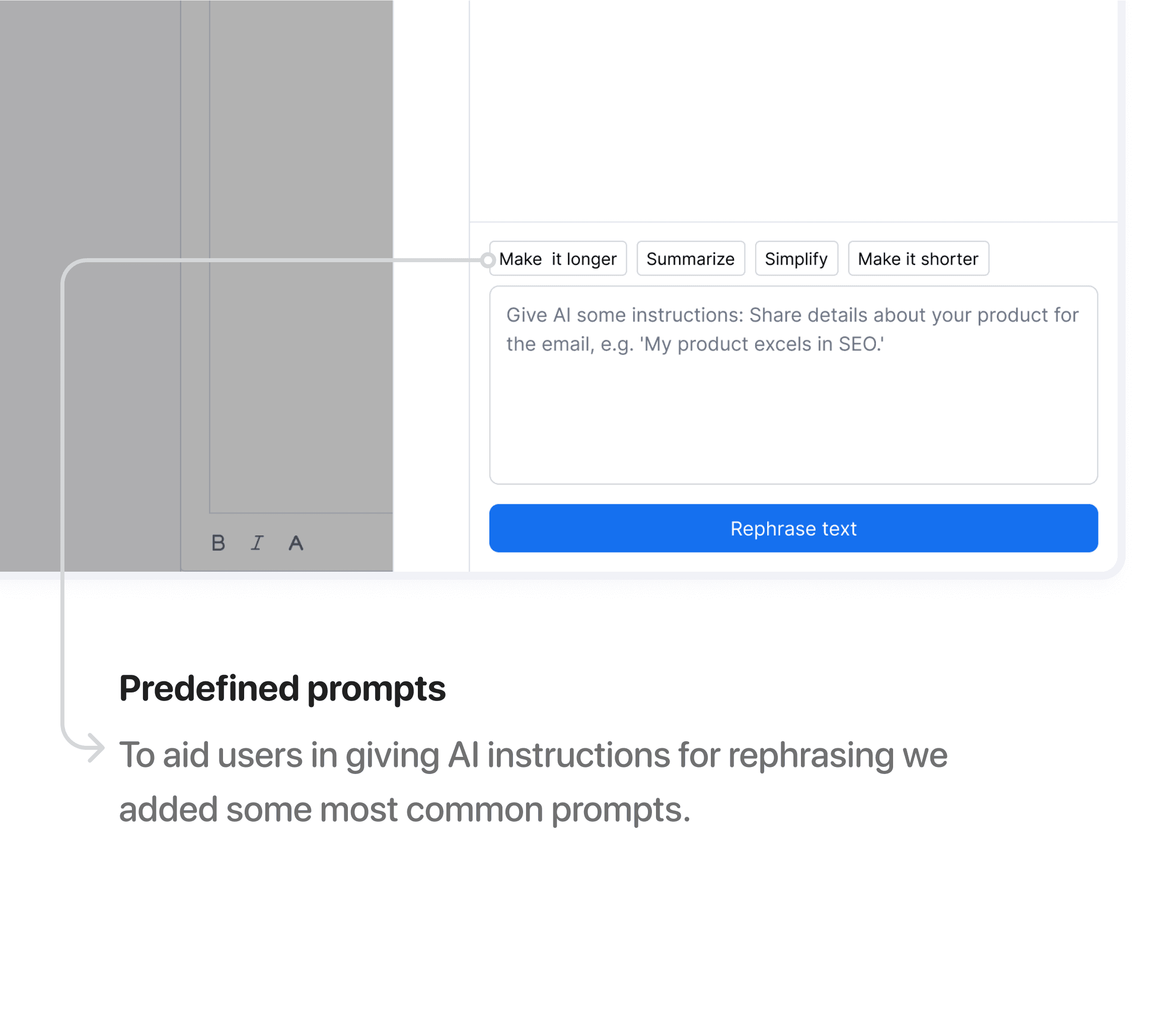
Enter prompt according to your needs. It can be descriptive or just an option from predefined prompts.
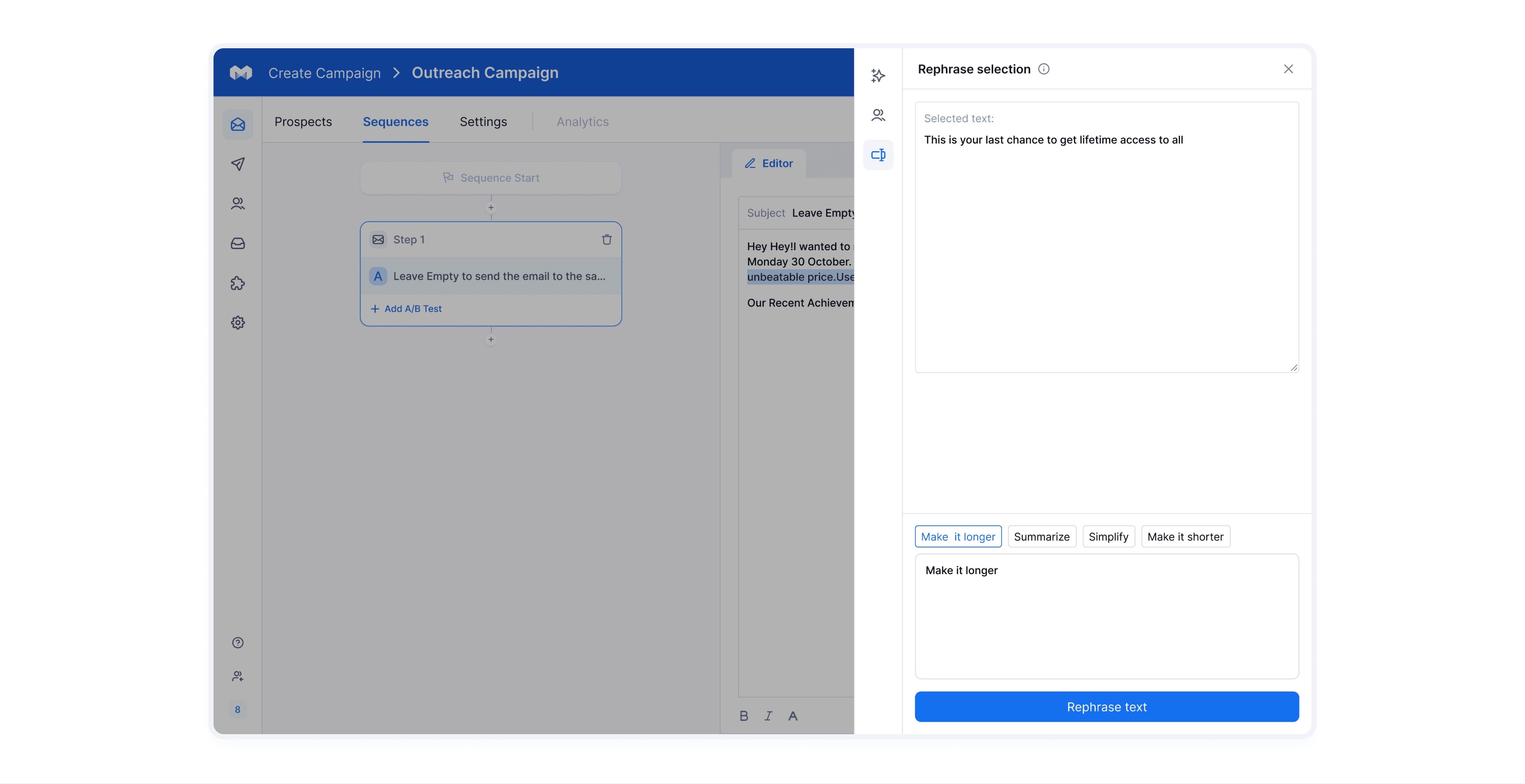
Ahaa! your selected text is rephrased according to your prompt.
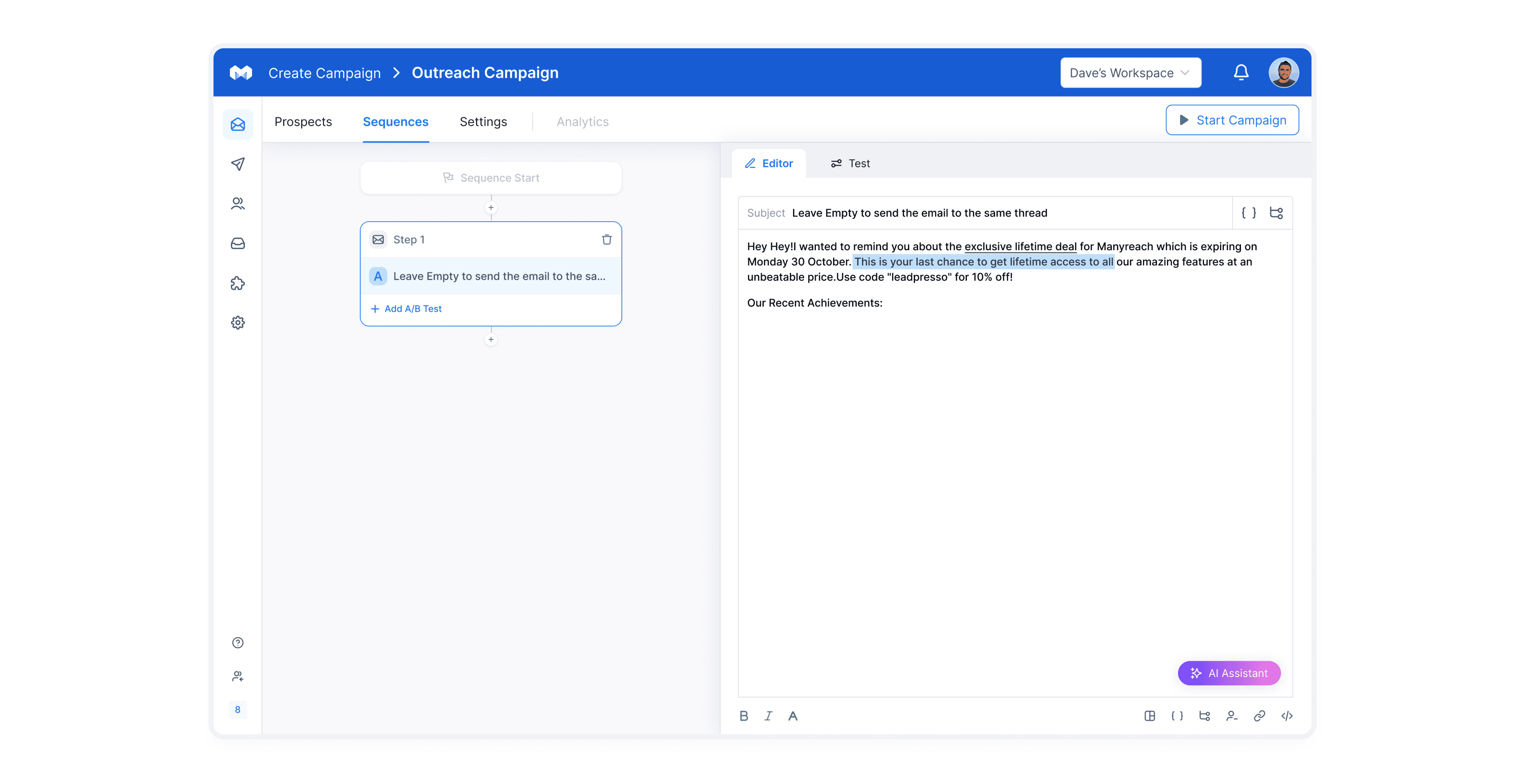
Personalised email openers
To provide personalisation at scale, we came up with this feature where our users can send emails to their prospects with personalised openers.
The reason for introducing personalised email openers is linked to high open rate.
If the emails are personalised there are more chances of prospect opening the email.
DEV HANDOFF
Dev notes for developers
We've introduced 'Dev notes' to facilitate seamless collaboration with developers, and the feedback has been fantastic!
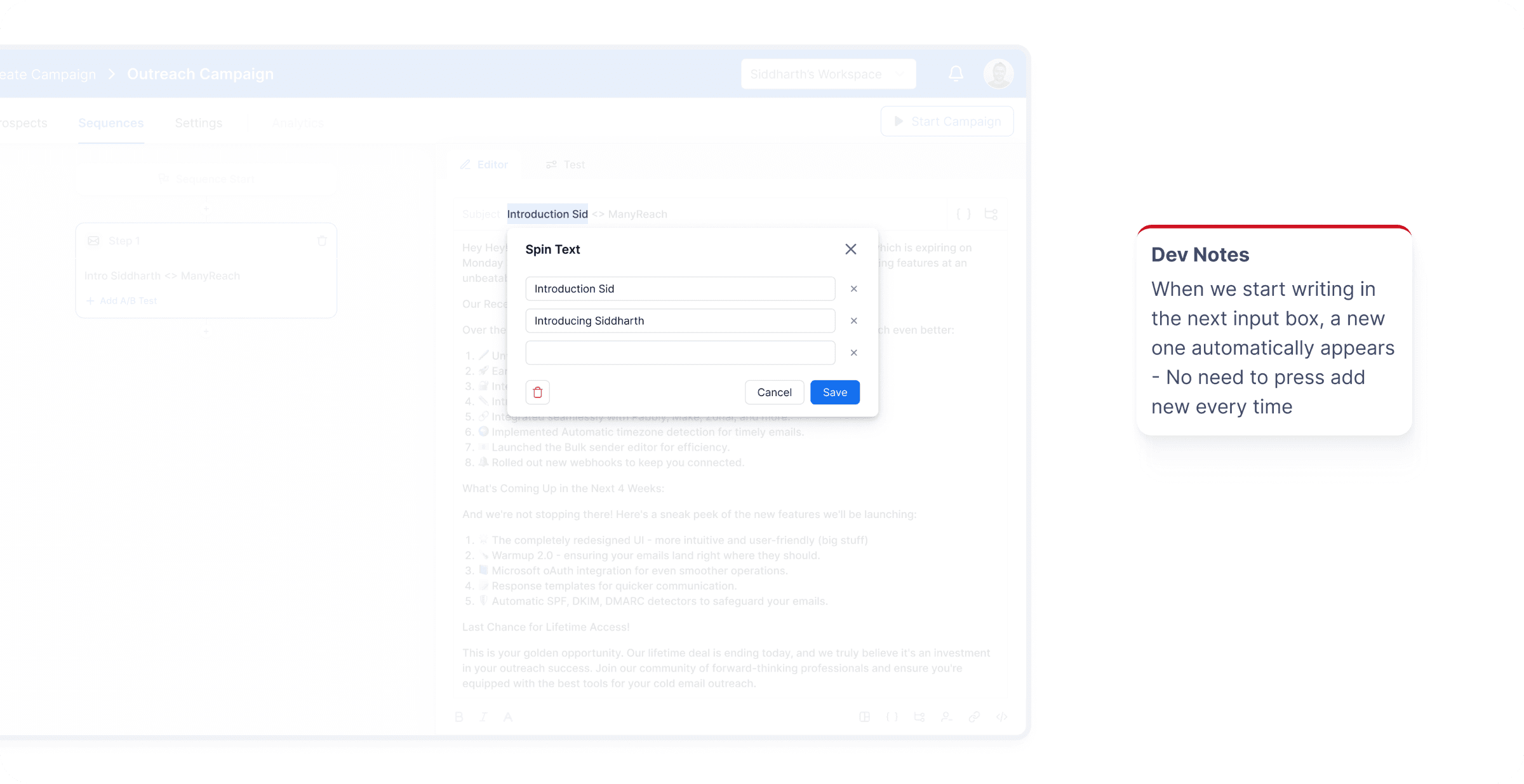
It’s time to reflect on learnings
Learnt a lot of things in the journey of working on this product. Quoting some
“It’s really important to iterate when designing , It paves way from ambiguity to clarity”
”
“When working with teams, communication plays a vital role”
”
“Feedback loops can do wonders in speeding up your process towards right direction”
”
What’s the impact ?
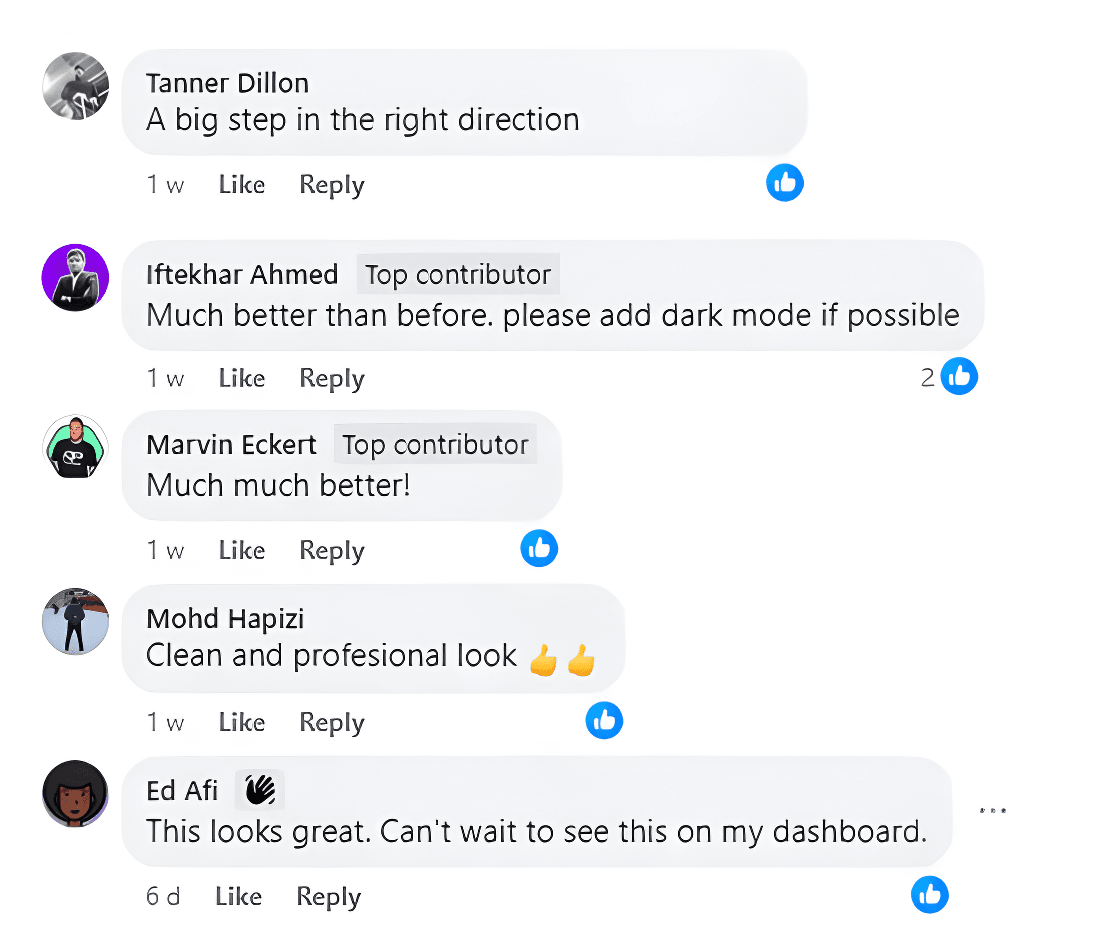
Users received our AI assistant feature very well. We received positive response from our users. They loved it!
In terms of metrics, we are expecting increase in customer acquisition, increase in adoption rate and reduce CAC (customer acquisition cost)
Planning next steps
Next we are planning to roll out more features for our users which help our users to achieve maximum productivity.
The features are aimed at automatising most effort taking and time consuming task in the user journey.
Here are some of the features that fall into next steps
Language translation of emails depending on country of the user.
AI generated insights in reports.

That’s a wrap